QuickBooks vs Xero vs FreshBooks are all powerful cloud accounting solutions, but they serve different business needs. This comparison covers their pricing, features, payroll, inventory, integrations, and ease of use to help freelancers, startups, small businesses, and growing companies choose the right accounting software for 2026.
Choosing the right accounting software isn’t always easy. With so many options available, it’s important to pick a solution that matches your business needs, budget, and future growth plans. Three of the most popular choices are QuickBooks, Xero, and FreshBooks, but each is designed for a different type of user.
In this QuickBooks vs Xero vs FreshBooks guide, we’ll compare their pricing, features, ease of use, payroll, inventory management, integrations, and more. Whether you’re a freelancer, startup, small business owner, or growing company, this comparison will help you understand the strengths of each platform and choose the one that’s right for your business in 2026.
Quick Answer
If you’re comparing QuickBooks vs Xero vs FreshBooks, the best choice depends on your business needs rather than which software has the longest feature list.
- Choose QuickBooks if you want an all-in-one accounting platform with advanced reporting, payroll, inventory, and scalability.
- Choose Xero if you run a growing small business that needs unlimited users, strong collaboration, and a large app ecosystem.
- Choose FreshBooks if you’re a freelancer, consultant, or service-based business focused on invoicing, time tracking, and client management.
Although all three platforms handle accounting tasks, each is designed for a different type of business. Understanding those differences can help you invest in software that supports your growth instead of limiting it.
Related Reading: If you’re new to digital finance tools, start with our Accounting Technology to understand how modern accounting software improves financial management. From there, explore Cloud Accounting to learn why businesses are moving away from traditional desktop systems.
At a Glance: QuickBooks vs Xero vs FreshBooks (2026)
| Feature | QuickBooks Online | Xero | FreshBooks |
| Best For | Small to medium-sized businesses | Growing businesses & accountants | Freelancers & service businesses |
| Starting Price (Approx.) | From $38/month | From $20/month | From $21/month |
| Maximum Users | Varies by plan | Unlimited users | Limited users by plan |
| Inventory Management | Advanced | Included | Limited |
| Payroll | Available (selected countries/add-on) | Available via partners/regions | Available as an add-on |
| Invoicing | Excellent | Excellent | Outstanding |
| Expense Tracking | Yes | Yes | Yes |
| Time Tracking | Available | Available | Built-in |
| Multi-Currency | Higher-tier plans | Most plans | Premium plans |
| Bank Reconciliation | Yes | Yes | Yes |
| Integrations | 750+ apps | 1,000+ apps | 100+ apps |
| Mobile App | Excellent | Excellent | Excellent |
| Learning Curve | Moderate | Easy to Moderate | Very Easy |
Note: Pricing and features may vary by country and subscription plan. Always verify the latest details on the official websites before purchasing.
QuickBooks vs Xero vs FreshBooks explained: Which one fits your business?

QuickBooks is a cloud-based accounting platform developed by Intuit. It offers comprehensive accounting, payroll, inventory tracking, tax management, budgeting, reporting, and automation tools for businesses of different sizes.
It is widely used by accountants, bookkeepers, retailers, manufacturers, and growing businesses that need more than basic bookkeeping.
Best for:
- Small businesses
- Retail stores
- Growing companies
- Businesses with inventory
- Companies needing advanced reporting
Businesses evaluating different software categories can also explore types of accounting technology to understand where cloud accounting platforms fit into today’s financial systems.
Xero is a cloud-native accounting software designed to simplify financial management for small and medium-sized businesses. It is known for its clean interface, unlimited users, and strong collaboration features.
Many accounting firms recommend Xero because business owners and accountants can work together in real time. Xero also connects with thousands of third-party applications, making it highly flexible for businesses with expanding technology needs.
Best for:
- Growing startups
- Agencies
- SMEs
- Multi-user teams
- Businesses needing integrations
FreshBooks started as an invoicing platform and has grown into a complete cloud accounting solution for freelancers and service-based businesses.
Its biggest strengths include:
- Professional invoicing
- Time tracking
- Project management
- Expense tracking
- Client communication
Unlike QuickBooks or Xero, FreshBooks focuses on making billing and client management as simple as possible.
Best for:
- Freelancers
- Consultants
- Marketing agencies
- Designers
- Contractors
- Service providers
QuickBooks vs Xero vs FreshBooks: Pricing & feature comparison (2026)
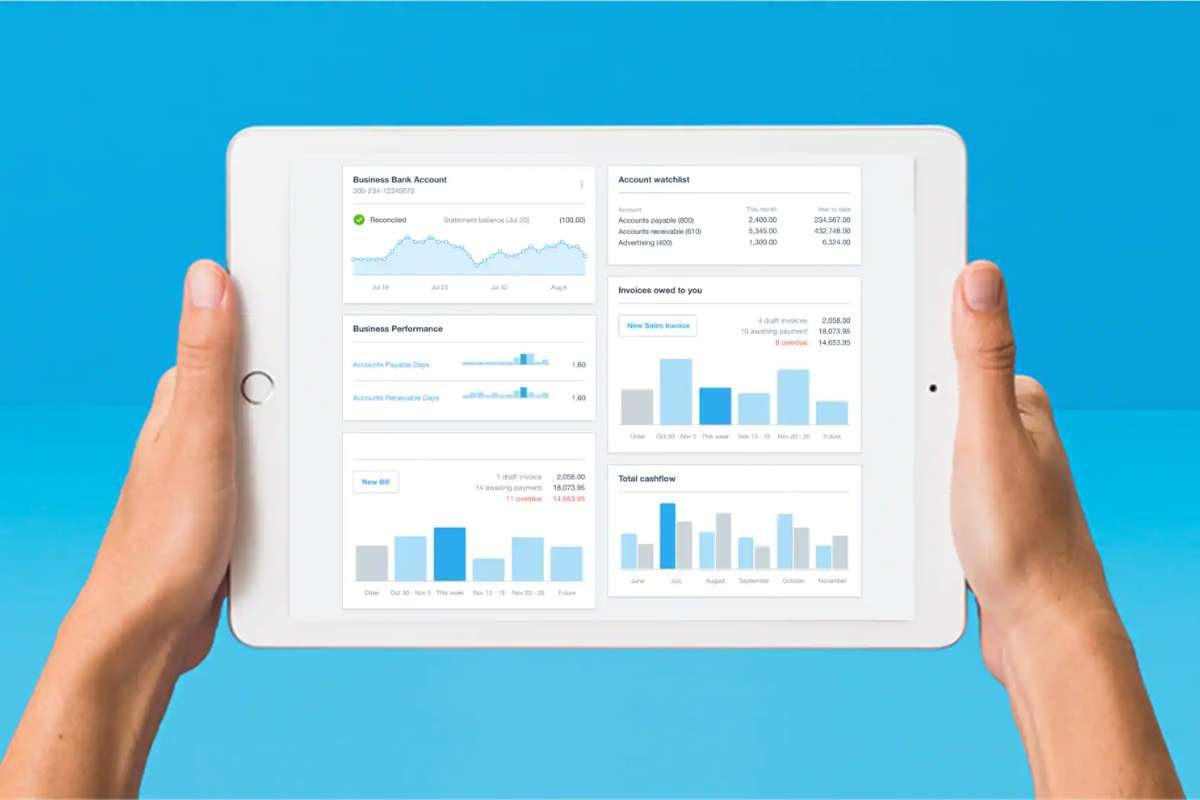
Pricing is one of the first factors businesses consider when choosing accounting software. While all three platforms offer cloud-based accounting, their plans, included features, and scalability vary significantly.
The table below provides a high-level comparison of their entry-level pricing and value.
QuickBooks pricing (2026)
| Plan | Monthly Price* | Users | Best For |
| Simple Start | From $38/month | 1 User | Freelancers & sole proprietors |
| Essentials | From $65/month | Up to 3 Users | Small businesses managing bills |
| Plus | From $99/month | Up to 5 Users | Growing businesses with inventory |
| Advanced | From $235/month | Up to 25 Users | Medium-sized businesses needing advanced reporting |
Xero pricing (2026)
| Plan | Monthly Price* | Users | Best For |
| Ignite | From $20/month | Unlimited Users | Sole traders & startups |
| Grow | From $47/month | Unlimited Users | Small businesses |
| Comprehensive | From $80/month | Unlimited Users | Growing businesses with payroll and expenses |
FreshBooks pricing (2026)
| Plan | Monthly Price* | Billable Clients | Best For |
| Lite | From $21/month | Up to 5 Clients | Freelancers & solopreneurs |
| Plus | From $38/month | Up to 50 Clients | Consultants & small businesses |
| Premium | From $65/month | Unlimited Clients | Growing service businesses |
| Select | Custom Pricing | Unlimited Clients | Larger businesses with advanced needs |
(Note: Pricing, plan names, and included features may vary by country and promotional offers. Always check the official QuickBooks, Xero, and FreshBooks websites for the latest pricing before choosing a plan.)
If you’re selecting software for a growing business, our guide on accounting technology for small businesses explains which accounting technologies deliver the best return on investment.
How QuickBooks, Xero, and FreshBooks compare across key features

While pricing is important, the best accounting software depends on your business needs, daily tasks, and future growth. Here’s a quick comparison of how QuickBooks vs Xero vs FreshBooks perform across the features that matter most.
- Ease of Use: FreshBooks is the easiest to use, making it ideal for beginners, freelancers, and service-based businesses. Xero has a clean, modern interface, while QuickBooks offers more advanced tools but has a steeper learning curve. Like other modern accounting technology solutions, all three platforms help businesses improve productivity by simplifying everyday accounting tasks.
- Invoicing: All three platforms support custom invoices, recurring billing, and online payments. FreshBooks stands out with its client portal, built-in time tracking, and user-friendly invoicing experience.
- Expense Tracking: All three automate expense tracking and bank reconciliation. However, QuickBooks and Xero provide more advanced reporting and automation, making them better for businesses with higher transaction volumes. These capabilities are a key part of modern expense management technology, helping businesses reduce manual work and improve financial accuracy.
- Inventory Management: QuickBooks offers the strongest inventory management, including stock tracking, purchase orders, and inventory reports. Xero provides solid inventory tools, while FreshBooks is better suited for service-based businesses.
- Payroll: QuickBooks offers the most comprehensive payroll solution, while Xero and FreshBooks provide payroll through regional partners or add-on services.
- Financial Reporting: All three generate essential financial reports, but QuickBooks provides the most advanced reporting and business insights, making it ideal for growing companies. Combined with real-time financial reporting, these insights help businesses monitor cash flow, profitability, and overall financial performance more effectively.
- Automation: QuickBooks offers the widest range of automation features, including bank reconciliation, recurring invoices, workflow automation, and transaction categorization. Xero also delivers strong automation, while FreshBooks focuses on simplifying invoicing and client billing. These features reflect the growing adoption of AI in accounting, enabling businesses to reduce repetitive tasks, improve accuracy, and make faster financial decisions.
- Integrations: Xero supports one of the largest app marketplaces, making it a great choice for businesses that use multiple software tools. QuickBooks is a close second, while FreshBooks covers the essential integrations for smaller businesses.
- Multi-Currency Support: Xero provides broader multi-currency support across its plans, making it a better option for businesses with international customers or suppliers.
- Mobile App: QuickBooks offers the most feature-rich mobile app, allowing users to manage invoices, expenses, banking, and financial reports on the go.
- Security: QuickBooks vs Xero vs FreshBooks all offer enterprise-grade security features, including data encryption, secure cloud storage, automatic backups, multi-factor authentication (MFA), and user access controls to help protect financial data. As businesses continue their digital transformation in finance, stronger cybersecurity practices and technologies such as blockchain in accounting play an increasingly important role in protecting financial records and maintaining data integrity, alongside proven methods for securing accounting data.
Which one should you actually choose? QuickBooks vs Xero vs FreshBooks?
Your ideal accounting software depends on your business model, team size, and future growth plans.
| Business Type | Recommended Software | Why It Fits |
| Freelancer | FreshBooks | Simplifies invoicing, time tracking, and client billing. |
| Consultant | FreshBooks | Ideal for project-based work and recurring invoices. |
| Startup | Xero | Unlimited users and flexible integrations support growing teams. |
| Small Business | QuickBooks | Offers complete accounting, reporting, and payroll features. |
| Retail Store | QuickBooks | Advanced inventory management and financial reporting. |
| eCommerce Business | QuickBooks | Better inventory tracking and purchase management. |
| Accounting Firm | Xero | Easy collaboration between accountants and clients. |
| International Business | Xero | Strong multi-currency support and global integrations. |
| Growing Company | QuickBooks | Scales well with expanding operations and complex financial needs. |
Conclusion:
Choosing between QuickBooks vs Xero vs FreshBooks isn’t about finding the software with the most features; it’s about selecting the one that fits your business today and supports your growth tomorrow. QuickBooks is the best option for businesses that need advanced accounting, payroll, inventory, and reporting. Xero is ideal for startups and growing teams that value collaboration and unlimited users, while FreshBooks is a great choice for freelancers and service-based businesses focused on invoicing and client management.
As your business grows, your accounting needs will change. Evaluating your budget, team size, workflows, and future goals will help you choose software that saves time, improves financial visibility, and supports long-term success.
Frequently asked questions (FAQs)
1. Which is better: QuickBooks vs Xero vs FreshBooks?
There isn’t a single best option for every business. QuickBooks is ideal for comprehensive accounting, Xero excels in collaboration and scalability, while FreshBooks is best for freelancers and service-based businesses.
2. Is Xero cheaper than QuickBooks?
Generally, Xero’s entry-level plans start at a lower price than QuickBooks. However, the overall value depends on the features your business requires.
3. Is FreshBooks good for small businesses?
Yes. FreshBooks is an excellent choice for freelancers, consultants, and service-based small businesses that need simple accounting, professional invoicing, and time tracking.
4. Which software has the best inventory management?
QuickBooks offers the strongest built-in inventory management among the three platforms, making it a better fit for retail, wholesale, and product-based businesses.
5. Which accounting software is easiest to learn?
FreshBooks has the simplest interface and is generally the easiest for beginners. Xero is also user-friendly, while QuickBooks has a steeper learning curve due to its broader feature set.