Real-time financial reporting automatically updates financial data as transactions occur, giving businesses instant visibility into revenue, expenses, cash flow, and profitability. By combining Continuous Close Methods with Interactive Executive Dashboards, organizations reduce manual work, improve accuracy, and make faster, data-driven financial decisions.
Businesses can no longer afford to wait until the end of the month to understand their financial performance. Markets change quickly, customer demand shifts daily, and cash flow can fluctuate at any time. To make informed decisions, finance teams and business leaders need access to accurate financial data whenever they need it.
This is where real-time financial reporting becomes essential.
Instead of preparing reports weeks after transactions occur, financial reporting automatically updates financial data as business activities happen. Every sale, payment, invoice, expense, or bank transaction is recorded and reflected in financial reports almost instantly.
The two technologies that make this possible are Continuous Close Methods and Interactive Executive Dashboards.
- Continuous Close Methods keep financial records updated throughout the accounting period instead of waiting for month-end.
- Interactive Executive Dashboards display live financial data in easy-to-read charts, graphs, and reports, helping decision-makers understand business performance at a glance.
Together, these tools help businesses improve financial accuracy, reduce manual work, and make faster decisions based on current data rather than outdated reports.
What is real-time financial reporting and why does it matter today?
Real-time financial reporting automatically updates financial data whenever a business transaction occurs. It gives finance teams and business leaders instant access to revenue, expenses, cash flow, and other key financial metrics, helping them make faster and more informed decisions.
Unlike traditional reporting, which depends on manual data entry and month-end closing, real-time reporting connects accounting software, ERP systems, banks, payment gateways, payroll, and other business applications. As new transactions are recorded, financial records update automatically, giving businesses an accurate and up-to-date view of their financial performance.
How real-time financial reporting works behind the scenes
Real-time reporting combines multiple accounting technologies into one connected system that updates financial data automatically.
Here’s how the process works:
- A customer completes a payment.
- The payment is recorded by the payment gateway.
- The accounting software automatically updates the general ledger.
- Bank feeds reconcile the transaction.
- AI categorizes and verifies the entry.
- Executive dashboards refresh with the latest data.
- Finance teams and business leaders can immediately view updated financial reports and KPIs.
Since all systems work together automatically, finance teams spend less time creating reports and more time analyzing financial performance, improving forecasts, and making faster business decisions.
Why continuous close is the key to faster financial reporting

Traditional accounting follows a fixed reporting cycle. Finance teams collect transactions throughout the month and close the books at the end of the reporting period.
Continuous Close Methods take a different approach.
Instead of waiting until month-end, accounting tasks are completed continuously. Transactions are recorded, reconciled, and verified every day, keeping financial records accurate and up to date throughout the accounting period.
This approach reduces the workload during month-end closing and gives businesses access to reliable financial information at any time.
How continuous close keeps your financial records always up to date
Continuous close combines automation, cloud accounting, and AI to update financial records with minimal manual effort.
Here’s a simple workflow:
- A customer makes a payment.
- The payment is recorded automatically.
- The accounting software updates the general ledger.
- Bank feeds match and reconcile the transaction.
- AI checks for errors or unusual activity.
- Financial records update immediately.
- Dashboards display the latest financial information.
Because these steps happen continuously, finance teams always work with current financial data instead of waiting for the month-end close.
6 essential steps that make continuous close work
A successful continuous close process includes several routine accounting tasks performed throughout the month.
| Activity | Purpose |
|---|---|
| Daily bank reconciliation | Matches bank transactions with accounting records |
| Automatic journal entries | Records recurring transactions without manual work |
| Continuous account reconciliation | Keeps account balances accurate |
| Invoice matching | Confirms invoices with payments and purchase records |
| AI-powered transaction validation | Detects unusual transactions and possible errors |
| Exception reporting | Alerts finance teams about missing or incorrect entries |
By completing these activities regularly, businesses reduce reporting delays and improve financial accuracy.
Top benefits of continuous close every finance team should know
Continuous close helps finance teams move from manual reporting to continuous financial management.
Some of the biggest benefits include:
- Faster month-end closing because most accounting work is already completed.
- Improved accuracy by reducing manual data entry and reconciliation errors.
- Better cash flow visibility through continuously updated financial records.
- Stronger compliance with organized and audit-ready financial data.
- More time for analysis so finance teams can focus on planning instead of paperwork.
For businesses adopting Accounting Automation, continuous close is often one of the first improvements that delivers measurable time savings and better financial control.
How interactive executive dashboards turn financial data into smart business decisions

Having up-to-date financial data is valuable only if decision-makers can understand it quickly. This is where Interactive Executive Dashboards play an important role.
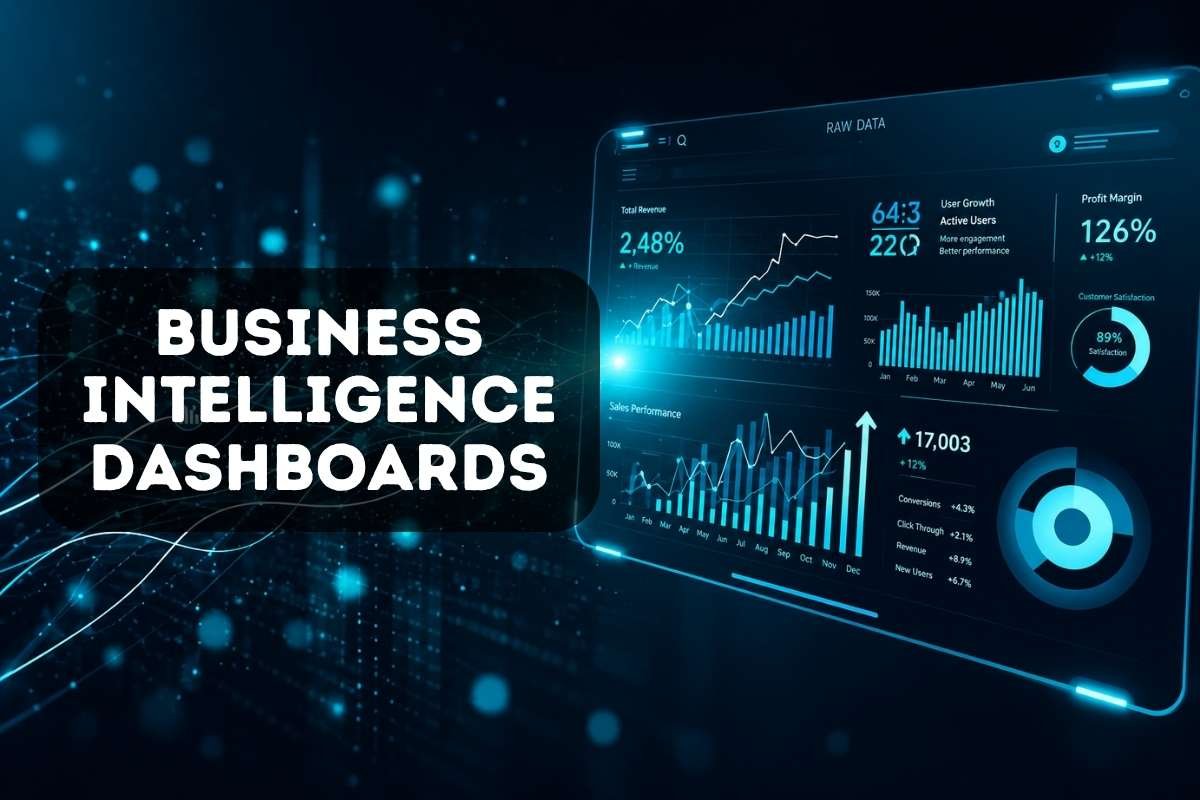
An interactive executive dashboard is a visual reporting tool that displays live financial data using charts, graphs, tables, and key performance indicators (KPIs). Instead of reading long spreadsheets or reports, business leaders can see their company’s financial health on a single screen.
Because the dashboard updates automatically, executives always have access to the latest financial information and can make faster, data-driven decisions.
9 must-have KPIs every executive dashboard should track
An effective dashboard should focus on the financial metrics that help leaders understand business performance at a glance.
| KPI | Why It Matters |
|---|---|
| Revenue | Tracks total sales and business growth |
| Gross Profit | Measures profit after direct costs |
| Net Profit | Shows overall business performance |
| Cash Flow | Indicates available cash for daily operations |
| Accounts Receivable | Tracks customer payments yet to be received |
| Accounts Payable | Monitors payments due to suppliers |
| Operating Expenses | Helps control business costs |
| Budget vs. Actual | Compares planned and actual spending |
| Working Capital | Shows the company’s short-term financial position |
Rather than displaying every financial number, a dashboard should highlight the KPIs that support business goals and decision-making.
Key dashboard features that help leaders make better decisions
Modern dashboards offer more than static reports. They allow users to explore financial data in different ways.
Some of the most useful features include:
- Live financial updates
- Interactive charts and graphs
- Department-wise performance tracking
- Custom date filters
- Drill-down reports for detailed analysis
- Mobile access for decision-makers
- Automatic alerts for unusual financial activity
- Export options for meetings and presentations
These features help finance teams spend less time preparing reports and more time analyzing business performance.
According to Deloitte’s Finance Trends 2026 survey, 57% of finance leaders now play a lead role in shaping enterprise strategy, highlighting the growing need for real-time dashboards and data-driven financial insights that support faster business decisions.
How continuous close and executive dashboards work together for real-time insights
“You build these tools not to displace people, but to build people up.” – Aaron Colcord, Founder & CEO, Voyager AI.
(IG Sheet Reference: Aaron Colcord)
This philosophy reflects the purpose of modern finance technology. Continuous Close and Executive Dashboards automate repetitive financial processes while giving finance professionals the accurate, real-time insights they need to make faster and more confident business decisions.
Continuous Close Methods and Interactive Executive Dashboards work together to provide accurate, real-time financial insights.
Here’s how the process flows:
Customer Payment
⬇
Payment is recorded automatically.
⬇
Accounting software updates the general ledger.
⬇
Bank feeds reconcile the transaction.
⬇
AI validates and categorizes the entry.
⬇
Continuous Close updates financial records
⬇
Executive Dashboard refreshes automatically.
⬇
Finance team reviews live KPIs
⬇
Management makes faster business decisions.
Since every step is automated, financial information stays current throughout the day. Instead of waiting for month-end reports, finance teams can identify anomalies, monitor cash flow, and respond to business changes as they happen. This shift enables finance to move beyond reporting and play a more strategic role in driving business performance.
Best practices to get the most from real-time financial reporting
To get the best results, businesses should follow a few practical steps.
- Automate Routine Accounting Tasks: Automate bank reconciliations, journal entries, invoice processing, and recurring transactions. This reduces manual work and improves reporting accuracy. Learn how Accounting Automation simplifies repetitive finance tasks and supports continuous close processes.
- Connect All Financial Systems: Integrate accounting software with ERP systems, banking platforms, payroll, CRM, payment gateways, and inventory management tools. A connected system ensures financial data updates automatically across the business. If your organization manages finance, operations, and inventory together, our comparison guide on ERP vs Accounting Software can help you choose the right solution.
- Build Dashboards Around Business Goals: Avoid adding every available metric to a dashboard. Instead, focus on KPIs that support your business objectives, such as revenue growth, profitability, cash flow, or operating costs. Simple dashboards make it easier for executives to find the information they need quickly.
- Use AI to Improve Accuracy: AI can automatically categorize transactions, detect unusual spending, identify duplicate entries, and improve financial forecasts. Our guide on AI in Accounting explains how artificial intelligence is transforming financial reporting and decision-making.
- Review Dashboard Metrics Regularly: Business priorities change over time. Review dashboard KPIs regularly to ensure they continue to support current goals and provide meaningful insights.
Real-World Example: Unilever uses SAP S/4HANA to access near real-time financial data, automate reporting, and improve financial visibility across its global operations. This helps its finance teams make faster and more informed business decisions.
Common real-time reporting challenges and how to solve them

Although real-time financial reporting offers many benefits, businesses may face a few implementation challenges.
| Challenge | Solution |
|---|---|
| Poor-quality financial data | Standardize data and validate transactions regularly. |
| Legacy accounting systems | Upgrade to cloud-based platforms with integration capabilities. |
| Too many dashboard metrics | Focus on the KPIs that directly support business goals. |
| Data security concerns | Use encryption, multi-factor authentication, and role-based access controls. |
| Employee adoption | Provide training and encourage gradual implementation. |
By addressing these challenges early, businesses can build a reliable reporting system that supports long-term growth.
Final thoughts
Businesses need more than monthly financial reports; they need accurate financial data whenever decisions have to be made. Real-time financial reporting makes this possible by combining Continuous Close Methods with Interactive Executive Dashboards. Together, they automate routine accounting tasks, keep financial records up to date, and provide instant access to key business metrics.
As companies continue adopting accounting technology, cloud accounting, automation, and AI, real-time reporting is becoming the new standard for modern finance. Businesses that invest in these technologies can improve financial accuracy, respond faster to change, and make smarter decisions with confidence.
FAQs:
1. What is Real-Time Financial Reporting?
Real-time financial reporting automatically updates financial data as transactions occur, giving businesses instant access to revenue, expenses, cash flow, and other key financial information.
2. Why is Real-Time Financial Reporting important?
It helps businesses make faster decisions, improve financial accuracy, reduce manual work, and monitor cash flow and business performance in real time.
3. What is a Continuous Close process?
Continuous Close is an accounting method where financial transactions are recorded, reconciled, and verified throughout the accounting period instead of waiting until month-end.
4. What are Interactive Executive Dashboards?
Interactive Executive Dashboards display live financial data, KPIs, and visual reports, allowing business leaders to monitor performance and make informed decisions quickly.
5. What is the difference between traditional reporting and Real-Time Financial Reporting?
Traditional reporting provides financial information after the reporting period ends, while real-time financial reporting continuously updates financial data, giving businesses instant visibility into their financial performance.