Cloud accounting is an online accounting system that helps businesses manage finances securely from anywhere with real-time access. This guide explains how it works, its benefits, remote deployment, multi-entity sync, security layers, automation, and real-world examples. It also shows how accounting connects with Accounting Technology, AI in Accounting, Accounting Automation, and Blockchain in Accounting.
Why Do Some Businesses Complete Accounting Faster Than Others?
Many businesses still rely on spreadsheets, manual data entry, and desktop software. This often leads to delays, errors, and extra work. Cloud accounting solves these problems by storing financial data on secure online servers instead of a single computer.
Business owners, accountants, and finance teams can access the same real-time financial data from anywhere. This improves collaboration, speeds up reporting, and helps businesses make faster decisions.
The demand for cloud-based accounting grew rapidly during the COVID-19 pandemic as remote work became common. According to Intuit, businesses using this software collaborated more efficiently because teams could work on the same financial data without sharing multiple files.
This accounting is now widely used by startups, small businesses, large enterprises, retailers, manufacturers, and healthcare organizations. It also supports modern Accounting Technology by working seamlessly with AI in Accounting, Accounting Automation, and Blockchain in Accounting to improve efficiency, accuracy, and financial transparency.
What is Cloud Accounting and how does it work?
It is an online accounting system that stores financial information on secure cloud servers instead of local computers. Users access the software through the internet using a browser or mobile app.
Unlike traditional desktop software, every approved user works with the same live financial data. Updates happen automatically, backups run in the background, and software providers handle maintenance without interrupting business operations.
A typical cloud system helps businesses:
- Record income and expenses
- Generate invoices
- Track payments
- Manage payroll
- Monitor cash flow
- Prepare tax records
- Create financial reports
- Connect with banks
- Share data with accountants securely
This real-time access helps businesses make quicker financial decisions because reports always reflect the latest transactions.
Quick Answer: Cloud Accounting allows businesses to manage finances online through secure cloud servers, giving authorized users real-time access, automatic updates, and seamless collaboration from anywhere.
The hidden reason traditional accounting is falling behind

For years, businesses depended on desktop accounting software installed on office computers. While these systems worked well, they created several limitations.
A local computer could fail unexpectedly. Teams often exchanged multiple spreadsheet versions. Accountants waited for backups before preparing reports. Remote work became difficult because employees needed office access.
Modern businesses need flexibility.
Cloud-based systems remove these barriers by providing:
- Automatic software updates
- Continuous backups
- Live collaboration
- Better disaster recovery
- Secure remote access
- Easy integration with banking and business applications
This is why many organizations now replace traditional accounting systems with cloud, especially as digital finance becomes more connected.
How Cloud Accounting enables remote access and team collaboration
One of the biggest strengths of cloud accounting is remote deployment.
Businesses no longer install software separately on every office computer. Instead, employees securely log in through a web browser or mobile application from almost anywhere with internet access.
Remote deployment offers several advantages:
- Finance teams can work from home.
- Accountants can review books without visiting the office.
- Business owners can approve payments while traveling.
- Auditors can access required records securely.
- Branch offices work on the same financial database.
| Real-World Example MANA Nutrition, a U.S.-based food manufacturer, uses Oracle NetSuite Cloud ERP to manage manufacturing, inventory, and financial operations from a single cloud platform. The system gives teams real-time visibility into business data, helping them improve efficiency, reduce operational costs, and make faster business decisions as the organization grows. |
How Cloud Accounting Supports Multi-Entity and Multi-Branch Businesses
Growing businesses often expand into multiple cities, countries, or business units. Managing separate accounting files for every location quickly becomes confusing. Reports take longer to prepare, and comparing performance becomes difficult.
This is where multi-entity sync makes a real difference.
Modern cloud accounting platforms allow businesses to manage several legal entities, subsidiaries, or branch offices from one centralized system while keeping each entity’s financial records separate.
Instead of maintaining different software for every office, finance teams can:
- View financial data from all branches in one dashboard.
- Consolidate reports automatically.
- Standardize accounting policies across locations.
- Track each entity’s profit and expenses separately.
- Reduce duplicate data entry.
- Prepare group financial statements faster.
For businesses that operate internationally, this feature also supports multiple currencies and local tax rules, making financial management much simpler.
| Real-World Example UCC Group, one of the world’s largest coffee producers, adopted Oracle Fusion Cloud ERP to centralize finance and supply chain operations across its global business. The cloud platform gives teams a single view of financial data, simplifies reporting, and helps managers make faster business decisions while supporting growth across multiple locations. |
Cloud Accounting security features that protect financial data

Many business owners hesitate to move accounting online because they worry about security. Surprisingly, storing financial records on a single office computer often creates greater risks.
A stolen laptop, hardware failure, accidental deletion, ransomware attack, or natural disaster can permanently damage important financial records.
Modern cloud platforms are designed with multiple security layers that protect business data around the clock.
These security layers commonly include:
- Data Encryption: Financial information is encrypted while it travels across the internet and while it is stored on cloud servers. Even if someone intercepts the data, it cannot be read without proper authorization.
- Multi-Factor Authentication (MFA): Users verify their identity using a password and an additional security step, such as a mobile authentication app or one-time code.
- Role-Based Access Control: Every employee receives only the permissions needed for their job.
For example:
- Sales staff create invoices.
- Accountants reconcile accounts.
- Finance managers approve payments.
- Business owners access complete financial reports.
This reduces the chances of accidental or unauthorized changes.
- Automatic Backups: Unlike traditional systems that depend on manual backups, cloud platforms continuously save data. Businesses can recover information quickly if problems occur.
- Audit Trails: Every financial action leaves a digital record showing who made the change, when it happened, and what was updated. Audit trails improve transparency and simplify audits.
- Compliance Standards: Leading cloud providers follow internationally recognized security standards such as ISO 27001, SOC 2, and GDPR where applicable. These standards require continuous monitoring and strict data protection practices.
| Case Study Biffa Group implemented Microsoft Dynamics 365 Finance to replace its legacy ERP system. The company introduced workflow-based approvals, standardized procurement processes, and digital audit trails that improved financial governance and audit readiness. Approval permissions are now aligned with employee roles, strengthening internal controls and simplifying compliance. |
Why are finance teams finishing month-end closing days earlier?
Closing monthly financial records used to take several days because accountants manually collected invoices, bank statements, spreadsheets, and payment records.
Today’s cloud systems automate much of this work.
They can:
- Import bank transactions automatically.
- Match payments with invoices.
- Generate recurring invoices.
- Reconcile bank accounts faster.
- Update dashboards instantly.
- Notify users about overdue payments.
- Share reports automatically.
Many businesses also connect with accounting automation tools that eliminate repetitive tasks such as invoice processing, expense approvals, and payment scheduling.
As a result, finance teams spend less time entering numbers and more time analyzing business performance.
Real-time reporting and financial insights in Cloud Accounting
Business decisions become stronger when leaders can see financial performance immediately instead of waiting until month-end.
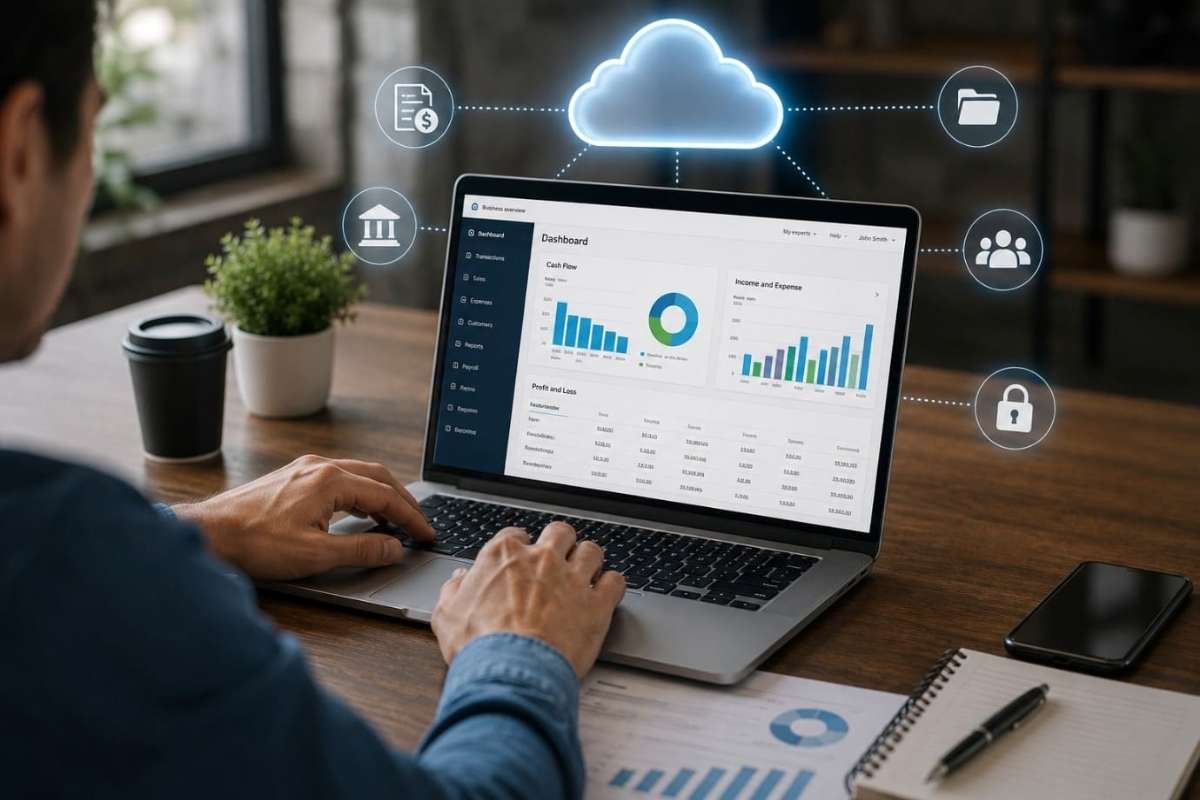
One of the biggest advantages of this accounting is real-time reporting. Dashboards update automatically whenever new transactions are recorded.
Business owners can instantly monitor:
- Revenue
- Profit margins
- Outstanding invoices
- Cash flow
- Expenses
- Budget performance
- Tax liabilities
- Inventory value
Instead of reacting to problems weeks later, companies can respond immediately.
| Fact: According to a Deloitte finance survey, organizations continue increasing investment in cloud-based finance systems because real-time reporting improves decision-making and business agility. |
Could your accounting software be working even while you sleep?
One of the biggest reasons businesses adopt cloud accounting is its ability to connect with other business applications.
Instead of entering the same information multiple times, cloud platforms automatically exchange data with:
- CRM software
- Payroll systems
- Inventory management
- Banking platforms
- Tax software
- E-commerce stores
- Payment gateways
- Expense management tools
This creates a connected financial ecosystem where information moves automatically between systems.
As businesses grow, they often combine AI in accounting for predictive insights and Accounting Automation for repetitive workflows, creating a faster and more accurate finance function.
Why businesses choose Cloud Accounting and what to consider before switching?
Using cloud accounting helps businesses manage their finances more efficiently by providing real-time access to financial data from anywhere. It improves collaboration, reduces manual work, and supports business growth. However, like any technology, it also comes with a few considerations that businesses should evaluate before implementation.
Benefits of Cloud Accounting
- Faster Decision-Making: Real-time financial reports help business owners monitor cash flow, track performance, and respond quickly to financial changes.
- Better Collaboration: Accountants, finance teams, auditors, and business owners can work on the same financial data without sharing multiple spreadsheets.
- Lower IT Costs: Businesses do not need to invest in expensive servers or maintain software on multiple computers.
- Automatic Updates: The software provider regularly delivers new features, security updates, and compliance improvements automatically.
- Improved Accuracy: Bank feeds, automated reconciliation, and integrated workflows reduce manual data entry and minimize errors.
- Easy Scalability: As the business grows, additional users, branches, and transactions can be managed without changing the accounting system.
- Business Continuity: Financial data remains securely stored in the cloud, allowing businesses to recover quickly from hardware failures or unexpected disruptions.
Challenges to Consider
While cloud offers many advantages, businesses should also keep these factors in mind:
- A stable internet connection is required to access the platform.
- Most cloud solutions follow a monthly or annual subscription model.
- Employees may need training when moving from traditional accounting software.
- Migrating historical financial data requires careful planning to maintain accuracy.
- Businesses rely on the software provider for system availability, updates, and technical support.
With proper planning, employee training, and a trusted provider, these challenges can be managed effectively, allowing businesses to maximize the long-term benefits.
Which one actually fits your business better?
| Feature | Cloud Accounting | Traditional Accounting Software |
| Access | Anywhere with internet | Office computer only |
| Software Updates | Automatic | Manual installation |
| Backup | Automatic | Manual |
| Collaboration | Real-time | Limited |
| Multi-Entity Management | Easy | More complex |
| Remote Work | Fully supported | Limited |
| Initial Hardware Cost | Low | Higher |
| Scalability | High | Moderate |
| Security Features | Advanced cloud security | Depends on local infrastructure |
For most growing businesses, offers greater flexibility, stronger collaboration, and easier scalability than traditional desktop systems.
Conclusion
Managing business finances is easier with cloud accounting. It gives businesses real-time access to financial data, improves teamwork, reduces manual work, and keeps information secure. Features like remote deployment, multi-entity sync, and strong security layers help businesses manage accounts more efficiently from any location.
As more companies adopt AI in Accounting, Accounting Automation, and Blockchain in Accounting, cloud-based accounting will continue to support faster decisions, better accuracy, and long-term business growth.
Frequently asked questions
1. What is Cloud Accounting in simple words?
Cloud accounting is an online accounting system that stores financial data on secure cloud servers. It lets businesses access accounts, automate tasks, and view real-time reports from anywhere.
2. Is Cloud Accounting secure for businesses?
Yes. Most cloud accounting platforms use encryption, multi-factor authentication (MFA), automatic backups, and access controls to keep financial data secure.
3. How is Cloud Accounting different from traditional accounting software?
Traditional accounting software stores data on a local computer, while cloud accounting stores it online for secure access from anywhere. It also offers real-time collaboration, automatic updates, and easy integration with business tools.