Businesses collect large amounts of data every day, but turning it into useful insights can be difficult. Business intelligence tools such as Microsoft Power BI, Tableau, Looker, Qlik Sense, and Zoho Analytics help companies organize data, create reports, track performance, and make better decisions through simple dashboards.
According to Fortune Business Insights, the global business intelligence market is projected to grow from $37.96 billion in 2026 to $72.21 billion by 2034. This growth shows the rising need for data-driven decisions across industries. Choosing the right BI tool depends on a company’s goals, budget, and reporting needs.
Leading business intelligence tools and what sets them apart
The best BI platform is not always the one with the most features. Businesses should evaluate Business Intelligence Solutions that fit their daily work, connect to their existing systems, and provide reliable information at a reasonable cost.
Here are five popular business intelligence tools to consider in 2026.
1. Microsoft Power BI
Microsoft Power BI is a business analytics platform that turns data into interactive reports and Business intelligence dashboards. It connects with Excel, Microsoft 365, databases, and many other data sources.
- Best for: Small businesses, finance teams, sales departments, and organizations already using Microsoft products.
- Plans and pricing: Microsoft offers a free account for creating reports for personal use. Power BI Pro costs $14 per user per month, billed annually, on its US pricing page. Premium Per User costs $24 per user per month. Prices may vary by country, taxes, and licensing arrangements.
- What sets it apart: Its Excel integration, reporting features, and range of pricing options make it a practical starting point for many businesses.
Real-world example:
1. Medtronic improved reporting with Power BI
Healthcare company Medtronic used Microsoft Power BI to simplify reporting across its operations and supply chain. The project helped automate over 240,000 hours of work, according to Microsoft.
2. Tata Realty reduced analytics costs
Tata Realty and Infrastructure used Microsoft Fabric to improve its data and analytics processes. Microsoft reports that the company cut data processing time by 20% and annual analytics costs by 20% to 30%.
2. Tableau
Tableau is a data visualization and analytics platform known for interactive dashboards, visual exploration, and detailed data analysis.
- Best for: Companies with large datasets, analytics teams, and businesses that need detailed visual reports.
- Plans and pricing: Tableau offers role-based plans for viewers, explorers, and creators. Its US Standard pricing lists Viewer at $15, Explorer at $42, and Creator at $75 per user per month, billed annually. Check the official pricing page for current rates and plan requirements.
- What sets it apart: Tableau is useful when teams need to explore complex data visually, identify patterns, and present findings clearly.
3. Google Looker and Looker Studio
Google offers two related but different analytics products. Looker supports governed business intelligence and data exploration, while Looker Studio helps users create reports and dashboards from connected data sources.
- Best for: Looker suits organizations that need controlled, consistent data definitions. Looker Studio is useful for marketing teams, website reporting, and businesses working with Google Analytics or Google Sheets.
- Plans and pricing: Looker uses sales-led pricing, so businesses generally need to contact Google for a quote. Looker Studio has a free version, while Looker Studio Pro offers paid features.
- What sets them apart: Looker supports shared data models and consistent business metrics. Looker Studio makes it easier to build visual reports without a large analytics budget.
4. Qlik Sense
Qlik Sense is an analytics platform that helps businesses explore data, build dashboards, and examine relationships between different data points.
- Best for: Mid-sized and large businesses that combine data from multiple systems and need flexible analysis.
- Plans and pricing: Qlik offers cloud-based business plans and enterprise options. Pricing depends on the selected product, licensing model, and business requirements.
- What sets it apart: Its associative analytics approach lets users explore connections between data points instead of following only fixed report paths.
5. Zoho Analytics
Zoho Analytics is a BI and reporting platform that helps businesses analyze information from spreadsheets, business applications, databases, and other sources.
- Best for: Startups, small businesses, sales teams, and companies using Zoho applications.
- Plans and pricing: Zoho Analytics offers paid plans at different levels, with options based on factors such as users, data capacity, and features. Check the official pricing page for current rates.
- What sets it apart: Its reporting features, business application integrations, and range of plans make it worth considering for companies that want to manage reporting without building a complex data system.
Which BI tool should you choose?
| Business Need | Suitable Tool | Main Reason |
|---|---|---|
| Excel-based reporting | Power BI | Microsoft integration |
| Advanced visual analysis | Tableau | Interactive and Exploration |
| Website and marketing reports | Looker Studio | Google ecosystem integration |
| Exploring connected datasets | Qliik Sense | Associative analytics |
| Small business reporting | Zoho Analytics | Accessible reporting and integrations |
These recommendations are starting points, not universal rankings. Test shortlisted platforms with your actual data before making a long-term commitment.
Business intelligence tools for small businesses and how smaller companies can start using BI without a data team
Small businesses do not need a dedicated data team or an expensive analytics system to begin using BI. They can start with existing spreadsheets, a clear business goal, and a basic dashboard. The key is to solve one problem first instead of trying to track every business metric at once.
1. Start with the data you already have
Collect basic information from sales records, accounting software, website analytics, inventory sheets, or customer relationship management systems.
For example, a small retailer can begin with monthly sales, product costs, stock levels, and returns. A digital marketing agency can track website visits, leads, conversion rates, and campaign costs.
2. Pick an easy-to-use tool
Choose a platform that matches your team’s skills and budget.
- Power BI: Suitable for businesses using Excel and Microsoft tools.
- Looker Studio: Useful for website and digital marketing reports.
- Zoho Analytics: Worth considering for small teams that want business reporting and application integrations.
- Excel or Google Sheets: A practical starting point for organizing data before moving to a dedicated BI platform.
Check sharing restrictions, data limits, and paid-plan requirements before choosing a tool.
3. Build one useful dashboard
Avoid filling the first dashboard with dozens of charts. Start with three to five metrics linked to a business goal.
For example, a small online store might track:
- Monthly revenue
- Best-selling products
- Customer acquisition cost
- Order returns
- Conversion rate
The owner can review the dashboard weekly and decide whether to adjust stock, pricing, or marketing spending.
4. Automate reports when possible
Manual reporting takes time and can lead to errors. Once the dashboard works, connect reliable data sources and schedule refreshes where the selected plan supports them.
Assign one person to check whether the data is complete and accurate. Automation does not fix incorrect source data.
5. Measure the value before expanding
Track whether the dashboard saves reporting time, helps teams spot problems earlier, or improves a business outcome. Add more data sources and advanced features only when there is a clear need.
Practical example: A small clothing retailer can combine weekly sales and inventory records in a simple dashboard. If one product sells quickly while another remains in stock, the owner can use that information to plan replenishment and reduce excess inventory. The dashboard supports the decision; the result depends on accurate records and suitable action.
How to choose the right business intelligence tool
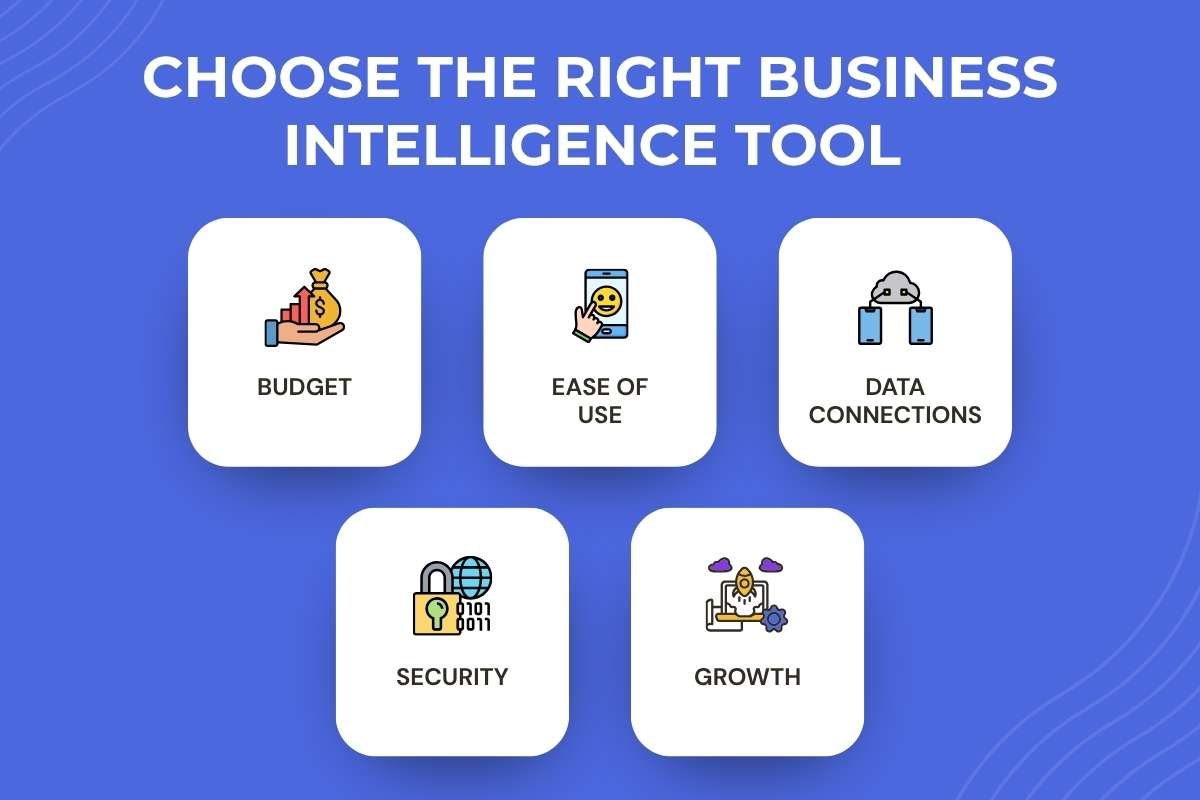
Before purchasing a BI platform, assess these five factors:
- Budget: Include user licenses, setup, training, and possible integration costs.
- Ease of use: Make sure employees can read reports and answer basic questions without constant technical support.
- Data connections: Check whether the tool works with your existing spreadsheets, databases, accounting systems, and marketing platforms.
- Security: Review access controls, data protection, and compliance requirements, especially when handling customer or healthcare information.
- Growth: Choose a platform that can support additional users, larger datasets, and new reporting needs as the business expands.
A short trial using real business data is often more useful than choosing a tool based only on its feature list.
Conclusion
Business intelligence tools help organizations turn scattered data into clear reports, useful insights, and better business decisions. Power BI is a strong option for Microsoft-based teams, Tableau supports detailed visual analysis, Looker and Looker Studio serve different reporting needs, Qlik Sense supports flexible data exploration, and Zoho Analytics offers practical reporting options for smaller companies.
The best choice depends on your goals, budget, data sources, and team’s skills. Start with one business problem, build a focused dashboard, and measure its value before expanding. A simple, reliable reporting process can be more useful than an advanced platform that employees rarely use.
FAQs on business intelligence tools
1. What are business intelligence tools?
Business intelligence tools are software platforms that collect, analyze, and display business data through reports and dashboards to support better decisions.
2. Which business intelligence tool is best for small businesses?
Power BI, Looker Studio, and Zoho Analytics are useful options. The right choice depends on your budget, data sources, reporting needs, and technical skills.
3. Are business intelligence tools free?
Some tools offer free plans or accounts, including Power BI and Looker Studio. Advanced features, collaboration, larger data limits, and enterprise capabilities may require paid plans.
4. Do small businesses need a data analyst to use BI tools?
No. Small businesses can start with spreadsheets and simple dashboards. More complex data connections, forecasting, or governance may require specialist support as the company grows.
5. What is the difference between business intelligence and business analytics?
Business intelligence mainly focuses on reporting business performance and understanding what has happened or is happening. Business analytics can also use statistical methods and predictive models to estimate what may happen next and support future decisions.