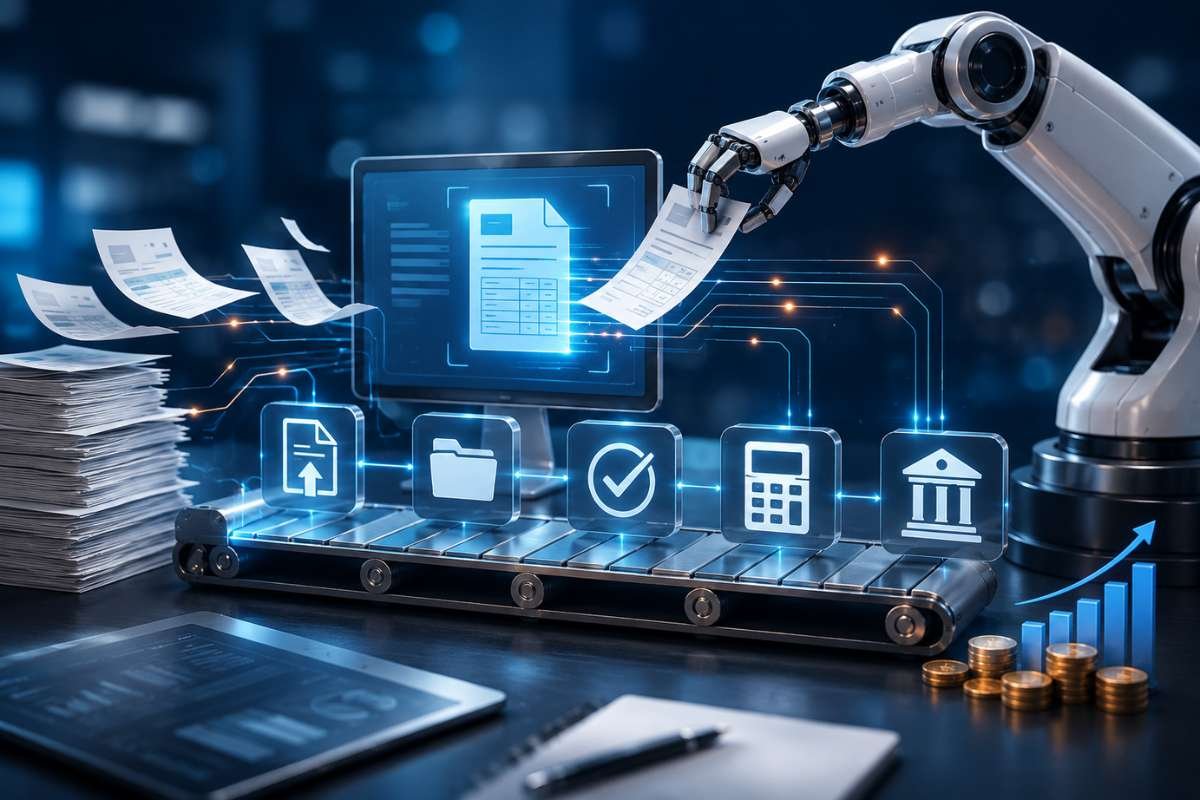
Accounts payable automation helps businesses process invoices faster by automating data entry, approvals, and payments. It uses OCR to capture invoice details and routes them to the right approvers automatically. This guide explains how it works, its key benefits, real-world examples, and how it supports Accounting Technology, Cloud Accounting, and Accounting Automation.
Accounts payable automation helps businesses process invoices faster by reducing manual work and improving accuracy. It uses OCR (Optical Character Recognition), automated approval workflows, and accounting software integrations to capture invoice data, verify information, route approvals, and schedule payments with minimal human effort.
Many businesses still rely on emails, spreadsheets, and paper invoices. This often leads to slow approvals, data entry errors, duplicate payments, and delayed supplier payments. As invoice volumes grow, manual processes become difficult to manage and increase operational costs.
For example, a manufacturing company processing around 4,000 invoices each month replaced manual data entry with OCR-based invoice processing and automated approval workflows. The result was faster approvals, fewer errors, improved payment tracking, and complete visibility into every invoice from receipt to payment.
As businesses continue to grow, efficient financial processes become essential. Accounts payable automation helps finance teams save time, improve cash flow, strengthen supplier relationships, and focus on higher-value financial tasks instead of repetitive administrative work.
What is accounts payable automation and why are more businesses adopting it?
Accounts payable automation is software that automates invoice processing, approvals, payments, and financial records. It uses OCR (Optical Character Recognition) to capture invoice details, checks the data for accuracy, routes invoices to the right approver, and updates the accounting or ERP system automatically. This reduces manual work, speeds up payments, and improves accuracy.
Businesses are adopting accounts payable automation because it saves time, reduces errors, lowers processing costs, and gives finance teams real-time visibility into invoices and cash flow. It also supports compliance by creating a complete digital audit trail. As part of modern Accounting Technology, it works well with Cloud Accounting, AI in Accounting, and Accounting Automation to build a smarter and more connected finance system.
Manual Process vs Automated Process
| Manual Accounts Payable | Automated Accounts Payable |
|---|---|
| Manual invoice entry | OCR captures invoice data automatically |
| Paper invoices and email approvals | Digital invoice capture and approval |
| Higher chance of errors | Automatic data validation |
| Slow approval process | Rule-based approval workflows |
| Limited invoice tracking | Real-time status tracking |
| Difficult audits | Complete digital audit trail |
| Higher processing costs | Lower operating costs |
With automation of accounts payable, businesses process invoices faster, pay suppliers on time, and give finance teams more time to focus on planning and business growth.
How accounts payable automation converts paper invoices into digital data with OCR?
One of the biggest reasons businesses adopt accounts payable is the ability to process invoices without manually entering every detail. This is possible through OCR (Optical Character Recognition) combined with intelligent invoice parsing.
OCR is no longer limited to reading printed text. Modern systems use Artificial Intelligence and Machine Learning to understand different invoice layouts, recognize handwritten notes in many cases, identify key financial fields, and validate extracted information before it enters the accounting system.
What is an OCR invoice parsing pipeline?
An OCR invoice-parsing pipeline is a structured workflow that converts paper, scanned, and PDF invoices into accurate digital records.
Instead of employees typing every field manually, intelligent software reads the invoice, extracts important information, validates the data, and prepares it for approval.
How the OCR pipeline works
Step 1: Invoice capture
Invoices arrive through multiple channels:
- Email attachments
- Supplier portals
- Mobile scanning
- Multi-function printers
- Electronic invoices (eInvoices)
The software automatically imports every invoice into a centralized processing queue.
Step 2: OCR data extraction
The OCR engine scans the invoice and extracts important fields such as:
- Supplier Name
- Invoice Number
- Invoice Date
- Purchase Order Number
- Line Items
- Tax Information
- Payment Terms
- Total Amount
- Currency
Instead of simply reading text, AI-powered OCR understands where important information appears, even if different suppliers use different invoice formats.
Step 3: Intelligent invoice parsing
After reading the invoice, AI organizes the extracted information into structured financial data.
For example:
| Invoice Field | Extracted Value |
|---|---|
| Vendor | ABC Manufacturing Ltd. |
| Invoice Number | INV-45892 |
| PO Number | PO-78341 |
| Invoice Date | July 15, 2026 |
| Total Amount | $12,840 |
| Tax | $1,140 |
| Payment Terms | Net 30 |
This structured data can now be validated automatically.
Step 4: Data validation
Before an invoice moves forward, the system checks whether the extracted information matches existing business records.
Typical validations include:
- Purchase order matching
- Vendor verification
- Duplicate invoice detection
- Tax calculation validation
- Budget availability
- Receiving confirmation
If any mismatch occurs, the invoice is flagged for review instead of continuing through the workflow.
Step 5: ERP integration
Once validation is complete, the invoice data flows directly into ERP or accounting software such as SAP, Oracle, Microsoft Dynamics 365, NetSuite, QuickBooks, or Xero.
This removes the need for manual data entry while ensuring consistent financial records across systems.
Step 6: Approval routing
The invoice automatically enters an approval workflow based on company rules.
Invoice Received
↓
OCR Data Extraction
↓
Invoice Validation
↓
Purchase Order Match
↓
Department Manager Approval
↓
Finance Approval
↓
Payment Scheduling
↓
ERP Posting
↓
Audit Archive
This digital workflow reduces approval delays and ensures every invoice follows the same standardized process.
Traditional OCR vs AI-powered OCR
Not all OCR systems provide the same level of accuracy.
| Traditional OCR | AI-Powered OCR |
|---|---|
| Reads printed text only | Understands document context |
| Requires fixed invoice templates | Handles multiple invoice layouts |
| Limited accuracy | Continuously improves through learning models |
| High manual correction | Significantly reduces manual review |
| Basic text recognition | Identifies vendors, tax fields, totals, and purchase orders intelligently |
Modern automation of accounts payable platforms increasingly relies on AI-powered OCR because suppliers rarely use identical invoice formats.
Approval routing workflows keep every invoice moving without delays

Receiving hundreds of invoices every week. Some require only a department manager’s approval, while others need approval from the finance director or even the CFO. If every invoice is sent manually through emails, it’s easy for documents to get lost, delayed, or forgotten. That’s why approval routing workflows have become one of the most valuable features of accounts payable automation.
Approval routing workflows automatically send invoices to the right people based on predefined business rules. Instead of asking, “Who should approve this invoice?” the software already knows the answer.
For example, a company can create rules such as:
- Invoices below $1,000 go directly to the department manager.
- Invoices between $1,000 and $10,000 require approval from the finance manager.
- Invoices above $10,000 require approval from the finance director.
- Capital expenditure invoices are routed to the CFO.
- International supplier invoices require an additional compliance review.
Because these rules are automated, invoices move through the approval process much faster without unnecessary emails or paperwork.
How an approval routing workflow works
Invoice Received
↓
OCR Extracts Invoice Data
↓
System Validates Information
↓
Purchase Order Matching
↓
Approval Rules Applied
↓
Manager Approval
↓
Finance Team Review
↓
Payment Scheduled
↓
Accounting System Updated
Every step is recorded automatically, creating a complete audit trail that supports compliance and financial transparency.
Smarter approval rules improve efficiency
Modern accounts payable automation platforms can create workflows based on several conditions, including:
- Invoice value
- Department
- Vendor category
- Purchase order availability
- Business location
- Payment urgency
- Project budget
- Cost center
This flexibility helps businesses maintain strong financial controls while avoiding approval bottlenecks.
Mobile approvals help finance teams work faster
Finance leaders are not always in the office. Today’s approval systems allow managers to review invoices using mobile apps or secure web portals.
With a few taps, they can:
- Approve invoices
- Reject incorrect invoices
- Request additional information
- Add comments
- Track pending approvals
This reduces approval delays, especially for businesses with remote or distributed teams.
Real-world example: SAP Concur
Siemens uses SAP Concur to automate invoice approvals and expense management across its global operations. Its configurable approval workflows help the company reduce processing delays, improve policy compliance, and gain better visibility into spending across departments. This allows finance teams to process invoices faster while maintaining strong financial controls.
Accounts payable automation works best with modern accounting systems

Automation becomes even more powerful when connected to other financial technologies.
For example, businesses using Cloud Accounting platforms can automatically synchronize invoice data with financial records, eliminating duplicate entries and improving reporting accuracy.
Organizations running enterprise systems such as SAP, Oracle NetSuite, Microsoft Dynamics 365, or QuickBooks can also integrate automated invoice workflows directly into their existing finance processes.
If your business is evaluating business software, understanding the differences between ERP and accounting software can help determine which platform best supports automated accounts payable processes.
Similarly, businesses comparing QuickBooks vs Xero vs FreshBooks should consider how each platform supports invoice automation, approval workflows, and third-party integrations.
As organizations continue their Digital Transformation in Finance, integrating accounts payable automation with broader Accounting Automation initiatives helps creating connected finance ecosystems where invoices, payments, reporting, and analytics work together seamlessly.
How to choose the right accounts payable automation solution?
Not every automation platform offers the same capabilities. Selecting the right solution requires looking beyond basic invoice processing.
Consider the following factors before making a decision.
1. OCR Accuracy: Choose software with AI-powered OCR that can process invoices from multiple suppliers without relying on fixed templates.
2. ERP and Accounting Software Integration: Ensure the platform integrates with your existing financial systems, whether you use SAP, Oracle NetSuite, Microsoft Dynamics 365, QuickBooks, Xero, or another solution.
3. Flexible Approval Workflows: Look for configurable approval rules that match your organization’s hierarchy and business policies.
4. Security and compliance
Verify that the software supports:
- Data encryption
- User access controls
- Audit trails
- Compliance reporting
5. Reporting and Analytics: Strong reporting capabilities help finance teams monitor invoice status, identify bottlenecks, and measure performance over time.
6. Scalability: Your business may process hundreds of invoices today and thousands next year. Select a solution that can grow with your organization without requiring major system changes.
Conclusion
Manual invoice processing may have worked in the past, but today’s finance teams need faster, smarter, and more reliable ways to manage growing workloads. Accounts payable automation transforms repetitive tasks into efficient digital workflows by combining OCR, intelligent approval routing, and seamless ERP integration. The result is fewer errors, quicker approvals, stronger supplier relationships, and better visibility into business spending.
As organizations continue investing in Accounting Technology, solutions such as Cloud Accounting, AI in Accounting, and Accounting Automation are creating connected finance ecosystems that improve both operational efficiency and strategic decision-making. Businesses that modernize their accounts payable process today will be better prepared for future growth, evolving compliance requirements, and an increasingly digital financial landscape.
FAQs
1. What is Accounts Payable Automation?
Accounts payable uses software to capture invoices, extract data, route approvals, and schedule payments automatically. It reduces manual work, improves accuracy, and speeds up invoice processing.
2. How does OCR improve invoice processing?
OCR (Optical Character Recognition) reads invoice details from PDFs, scanned files, or paper invoices and converts them into digital data. This reduces manual data entry and improves accuracy.
3. What are approval routing workflows?
Approval routing workflows automatically send invoices to the right person based on rules like invoice amount, department, or vendor. This speeds up approvals and keeps a clear audit trail.
4. Can Accounts Payable Automation work with accounting software?
Yes. Most accounts payable solutions integrate with accounting and ERP systems like SAP, Oracle NetSuite, Microsoft Dynamics 365, QuickBooks, and Xero for seamless invoice processing.
5. Is Accounts Payable Automation suitable for small businesses?
Yes. Small businesses can use this to save time, reduce errors, improve cash flow, and manage invoices more efficiently without increasing staff.