A cyberattack is an attempt to steal data, damage systems, or disrupt digital services without permission. Knowing how attacks work helps you spot trouble and act before a small mistake becomes costly.
Different types of cyberattacks target different weak points. Some trick people, while others exploit software, steal passwords, or overload websites.
One incident may use several methods. A phishing email, for example, can steal a password later used to install malware. This guide covers 10 common types of cyberattacks, how they work, and how you can defend against each one.
What are the most common attacks and how can you stop them?
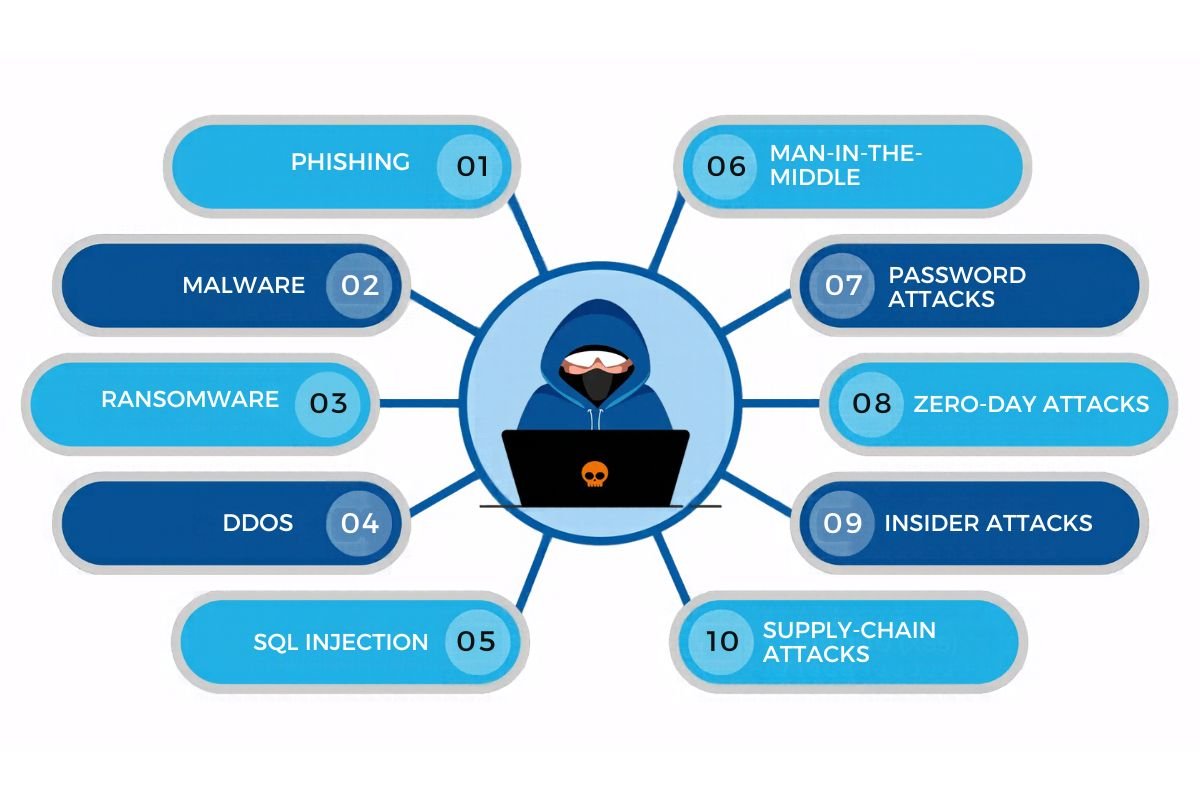
No single defense works for every threat. Different types of cyberattacks use different routes to target devices, accounts, and networks. Some describe how attackers get in, while others explain the harmful software, technique, or person behind an attack.
The 10 examples below can also overlap. For instance, phishing can deliver malware, while ransomware is a type of malware. Understanding these differences helps you see how attacks connect and how to defend against them.
| Attack | How it works | How to defend against it |
|---|---|---|
| Phishing | A fake email, text, or call tricks someone into sharing details or opening a harmful link. | Check the sender, avoid unexpected links, and confirm urgent requests another way. |
| Malware | Harmful software steals data, spies on users, or damages files. | Use trusted security software and download apps from trusted sources. |
| Ransomware | Malware locks files or systems and demands money to restore access. | Keep tested backups, update software, and limit file access. |
| DDoS | Attackers flood a website or server until real users cannot reach it. | Use a host or security service with DDoS protection and traffic filtering. |
| SQL injection | Unsafe website inputs let attackers send harmful commands to a database. | Developers should use parameterized queries and limit database permissions. |
| Man-in-the-middle | An attacker intercepts data moving between two parties, often on an unsafe network. | Check for HTTPS and avoid sensitive activity on untrusted Wi-Fi. |
| Password attacks | Attackers guess passwords or reuse stolen login details. | Use unique passwords, a password manager, and an extra login check. |
| Zero-day attacks | Attackers exploit a software flaw before a fix is available. | Apply fixes quickly when released and monitor systems for unusual activity. |
| Insider attacks | A worker or trusted user misuses access, on purpose or by mistake. | Give people only the access they need and review it often. |
| Supply-chain attacks | Attackers break into a supplier to reach the businesses that use its services. | Review vendor security and limit shared access. |
Keep in mind that these threats are not always separate. A zero-day flaw could help an attacker install ransomware, while a phishing email could steal a password used in a later attack. Some entries describe the method of attack, while others describe its source or impact.
Verizon’s 2026 Data Breach Investigations Report found that software vulnerability exploitation was involved in 31% of breaches in its study. This is why software updates matter. OWASP recommends parameterized queries to help prevent SQL injection.
What warning signs could point to an attack?
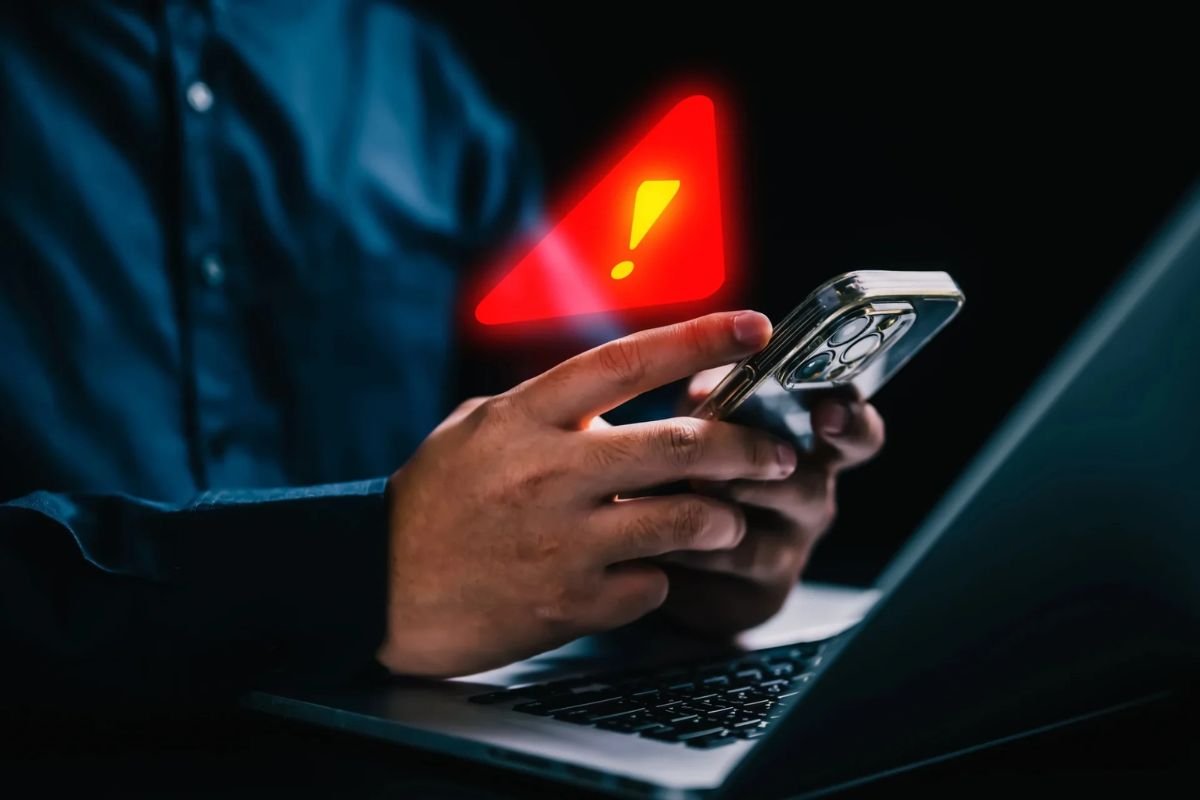
Some signs should make you pause. The warning clues vary, and different types of cyberattacks do not always look alike.
Watch for reset messages you did not request, unknown login alerts, messages sent from your account, missing files, or strange bank activity. Sudden slowdowns or unknown apps also deserve a check.
One odd event may be harmless, but several unusual signs deserve attention. Tell your IT team or provider.
How can you protect yourself and your business?
Start with habits that block many common attacks. Use a different password for every important account. Turn on multi-factor authentication, an extra login check. Keep devices and apps updated. Back up key files and test that you can restore them.
Businesses should train staff to spot fake messages, limit access to sensitive files, and review system access. Different types of cyberattacks need different defenses, so combine safe habits with security tools instead of relying on one product.
IBM’s 2026 report puts the global average cost of a data breach at $4.99 million. This is a global average, not a prediction for one business.
What should you do after a cyberattack?

Tell your IT or security team as soon as you suspect an attack. Different types of cyberattacks call for different responses, but speed matters. Follow their advice before reconnecting devices or deleting files.
From a clean device, change affected passwords and sign out of other sessions. Contact your bank if payment details may be exposed. Save suspicious messages as evidence. Restore files only from clean backups. Paying a ransom does not guarantee that files will be returned.
The FBI received 1,008,597 internet crime complaints in the United States in 2025. This covers reported complaints, not every cybercrime that took place.
In India, organizations should follow CERT-In’s current incident-reporting guidance.
How can businesses build stronger cybersecurity?
One tool or a one-time training session cannot stop every threat. Businesses need a clear plan that people can follow.
Review system access, patch important software, test backups, train staff, and check suppliers that handle company data. Write down who should act during an incident and how staff or customers will be told. Test the plan before an emergency. A backup that has never been tested is only a hopeful guess. People, processes, and technology must work together to lower the risk from different types of cyberattacks.
Conclusion: Make the easy targets harder to reach
Cyberattacks may work in different ways, but simple steps can lower your risk. Use strong passwords, turn on multi-factor authentication, update your software, and keep backups. Watch for unusual activity and know who to contact if something goes wrong. A response plan can help limit damage and protect your data.
Frequently asked questions about cyberattacks
1. What is a cyberattack?
A cyberattack is an attempt to access, steal, damage, or disrupt data, devices, accounts, or networks without permission.
2. What are the most common cyberattacks?
Different types of cyberattacks include phishing, malware, ransomware, password attacks, DDoS, and man-in-the-middle attacks.
3. How can I tell if my account has been hacked?
Watch for unknown logins, unexpected password-reset alerts, strange messages, or changes to your account settings.