You sit down to type, and something feels off. The keys feel flat, the sound is dull, and every sentence takes a little more effort than it should. You keep going, but it never quite feels right. Then one day, you try a different keyboard, and suddenly, every keystroke feels sharp, responsive, almost satisfying in a way you did not expect.
That small shift can change how you work, write, or even play. The best mechanical keyboards bring a level of precision and feedback that turns typing into something you actually enjoy. From the sound of each click to the feel of every press, the right keyboard can make your setup feel complete in a way that is hard to go back from.
In this article, we will take a look at different mechanical keyboards so that you can pick the one that is most suitable for you.
The 8 Best Mechanical Keyboards You Need to Check Out Today
Choosing a keyboard is not just about specs. It is about how it feels when you sit down and start typing. Some boards focus on comfort, while others chase speed or customization. The list below brings together the best options that stand out in different ways, so you can find one that fits how you work and play.
We have rated these keyboards on four things:
- Number of keys
- Connection type
- Media controls
- Palm rest
This list is arranged from the highest to lowest rating according to the above metrics. So, without further ado, let us go hunting for the best mechanical keyboards!
1. Razer Pro Type Ultra
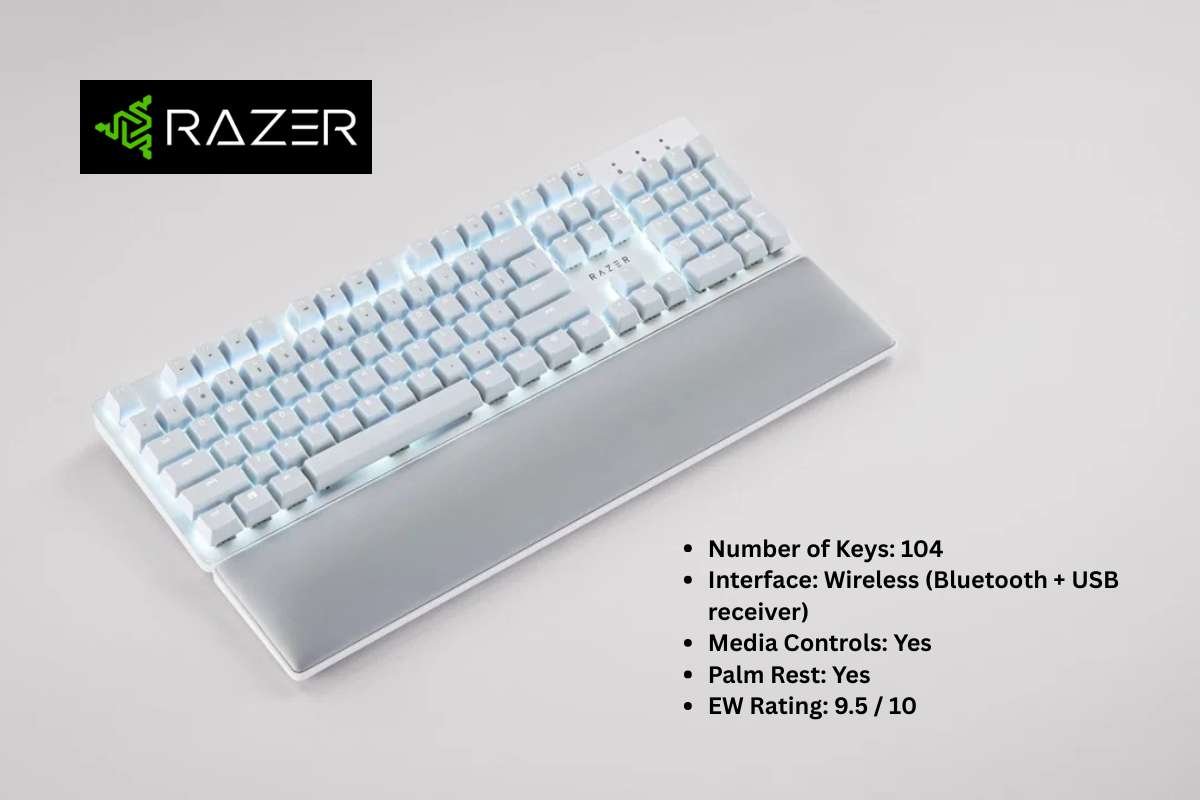
- Number of Keys: 104
- Interface: Wireless (Bluetooth + USB receiver)
- Media Controls: Yes
- Palm Rest: Yes
- EW Rating: 9.5 / 10
Pros
The typing experience feels calm and refined. The keys are soft, and the sound stays low, which helps in shared spaces. You can work for long hours without feeling strain in your fingers or wrists. The included palm rest adds real comfort and supports your hands in a natural position.
Wireless performance stays smooth and reliable. You can switch between devices without any hassle, which makes it great for multitasking setups. The battery lasts long enough that charging rarely interrupts your work. The full-size layout also helps with daily tasks, especially if you use the number pad often.
Cons
It might be one of the best mechanical keyboards, but it still has its limitations. The quiet typing feel may not suit everyone. If you enjoy a strong tactile response or a clicky sound, this can feel a bit dull. It leans more toward comfort than excitement, so it may not satisfy users who want a more engaging typing feel.
The design stays clean but does not stand out much. It lacks the heavy, premium feel that some high-end keyboards offer. At this price, you may also expect more control over customization, but the options here feel limited.
2. Keychron Q5 Max
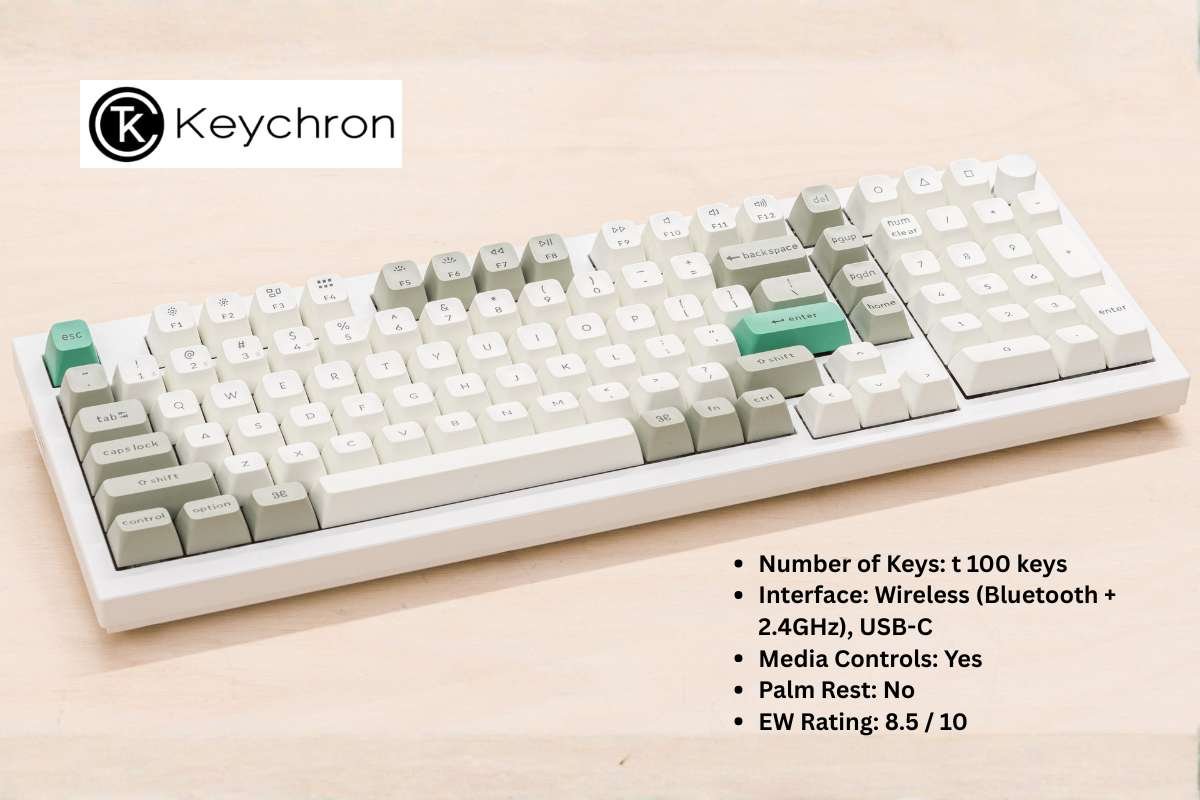
- Number of Keys: t 100 keys
- Interface: Wireless (Bluetooth + 2.4GHz), USB-C
- Media Controls: Yes
- Palm Rest: No
- EW Rating: 8.5 / 10
Pros
The build feels solid from the first touch. The metal body adds weight, which keeps the keyboard stable on the desk. The keys respond well and give a satisfying feel while typing. It strikes a nice balance between work and play, so it fits both roles with ease, making it one of the Best Mechanical Keyboards for everyday use.
You get strong flexibility with connectivity and controls. It supports multiple wireless modes along with wired use, so switching between devices feels simple. The knob adds a useful touch and can handle volume or other quick actions. The compact layout also saves space while keeping most essential keys within reach.
Cons
Comfort may take a slight hit over time. There is no palm rest included, so long typing sessions can feel tiring if your setup is not ideal. You may need an extra accessory to fix this, which adds to the overall cost.
The weight and layout may not suit every user. It is not the easiest keyboard to move around, so it works best in a fixed setup. The layout also needs a short adjustment period, especially if you are used to a standard full-size board.
3. Keychron V6 Max
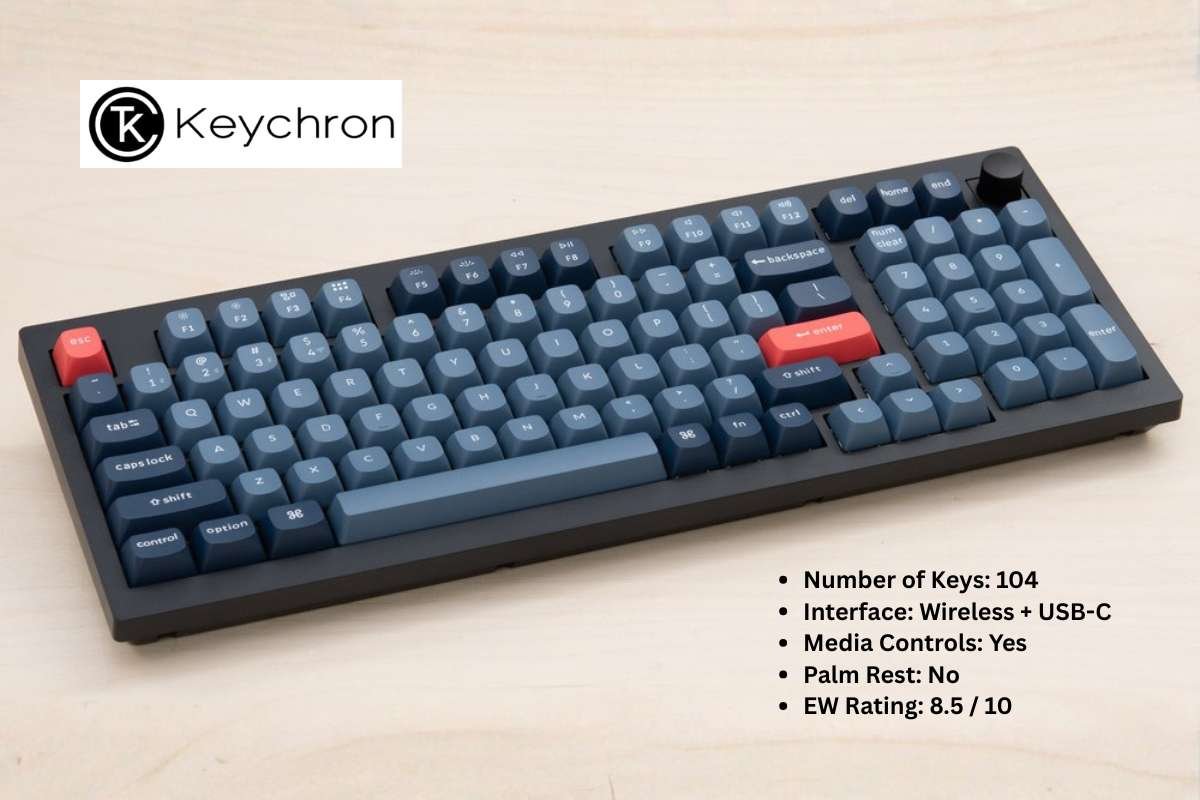
- Number of Keys: 104
- Interface: Wireless + USB-C
- Media Controls: Yes
- Palm Rest: No
- EW Rating: 8.5 / 10
Pros
If you like a full-size board, this one feels familiar right away. Nothing feels cramped, and you get all the keys you expect. The typing itself feels smooth but not too soft, so each press still has a bit of weight. It works well whether you are writing for hours or jumping between tasks.
You also get the freedom to move around. Use it wirelessly when you want a clean desk, then plug it in when needed. Like many of the best mechanical keyboards, switching between devices feels easy, which helps if you work across screens. The programmable controls add a fun layer, since you can tweak things to match how you work.
Cons
You may start to miss a wrist rest after a while. Long typing sessions can feel a bit tiring, especially if your desk setup is not perfect. It is not a deal breaker, but it is something you notice over time.
The build feels good, but not exciting. It does not have that dense, premium feel you get from metal boards. If you care about how your setup looks and feels, this one may come across as a bit safe.
4. Das Keyboard 4 Professional
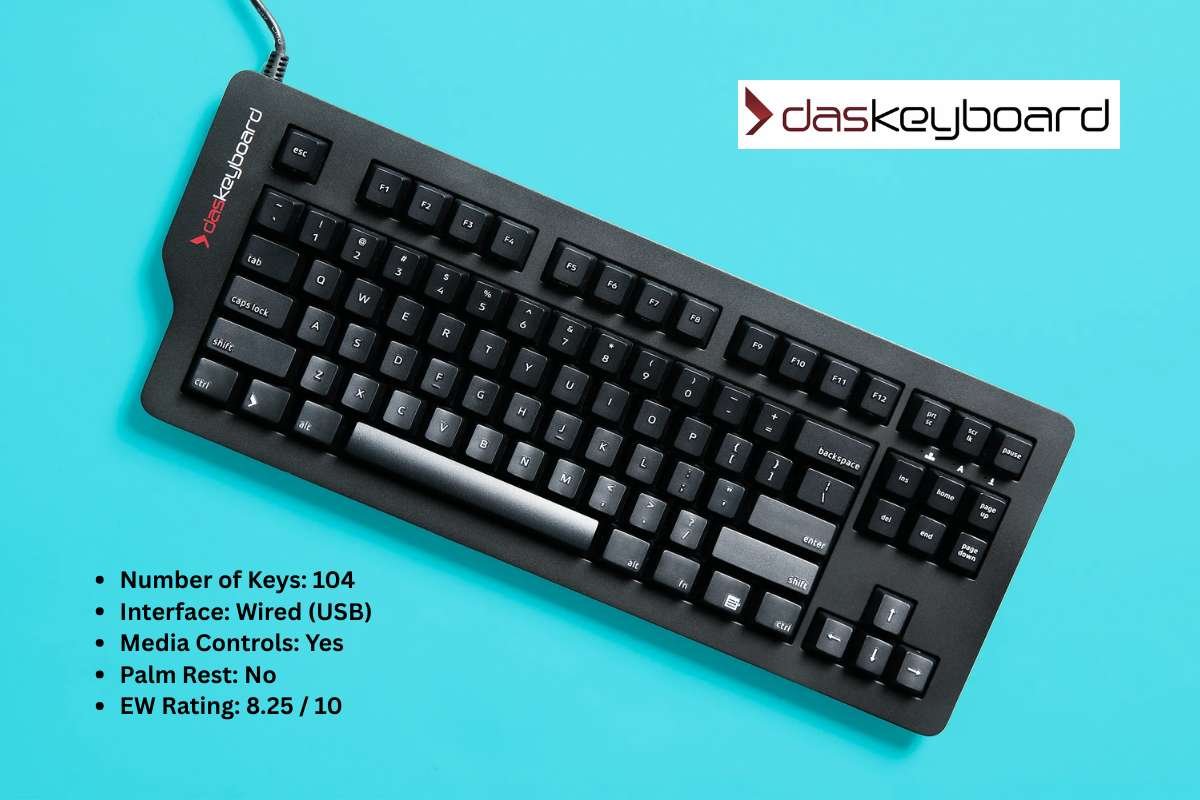
- Number of Keys: 104
- Interface: Wired (USB)
- Media Controls: Yes
- Palm Rest: No
- EW Rating: 8.25 / 10
Pros
This keyboard feels like it means business. Every key press is clear and sharp, which makes typing feel more deliberate. If you enjoy that classic mechanical feel, this one delivers without trying too hard. It is the kind of board you settle into and just keep using.
The volume knob is one of those small things you end up loving. You reach for it without thinking, and it just works. The wired connection also keeps things simple. No charging, no dropouts, just a steady and reliable experience every day.
Cons
You are tied to your desk here. There is no wireless option, so your setup stays fixed. If you like moving around or keeping things flexible, this can feel a bit limiting compared to the Best Mechanical Keyboards available today.
It also does not try to impress with looks. The design feels more old school, which some users may like, but others may not. Over longer sessions, the lack of a wrist rest can also make things less comfortable than you might expect.
5. Keychron V3 Max
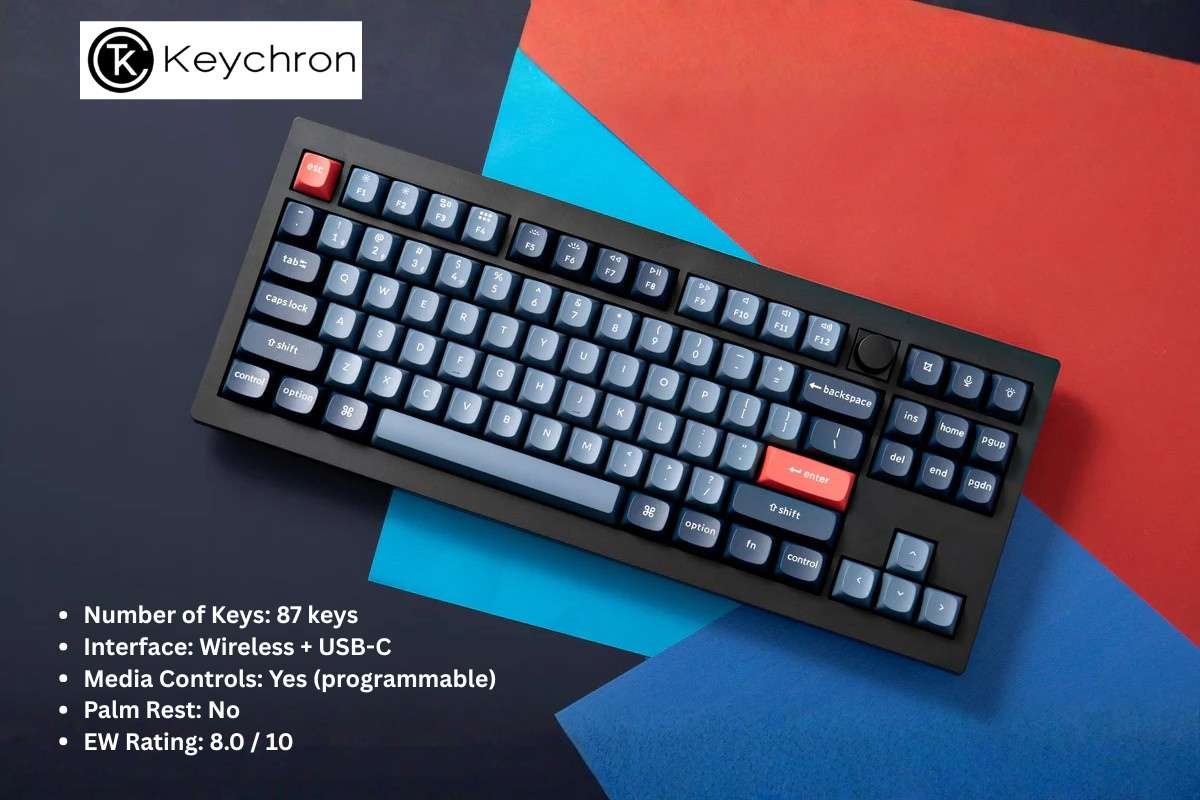
- Number of Keys: 87 keys
- Interface: Wireless + USB-C
- Media Controls: Yes (programmable)
- Palm Rest: No
- EW Rating: 8.0 / 10
Pros
If your desk feels crowded, then this is one of the best mechanical keyboards to give you your space back. The tenkeyless layout cuts out the number pad, but keeps everything else within easy reach. It feels compact without feeling limited. You still get a comfortable typing flow, and your mouse finally has room to breathe.
It also adapts to how you work. You can go wireless for a clean setup, or plug it in when you want a steady connection. The keys feel responsive and balanced, which makes both typing and light gaming feel natural. The programmable controls give you a bit of freedom, so you can shape the keyboard around your habits.
Cons
You will notice the missing number pad if you use it often. Tasks like data entry or quick calculations take an extra step. It is not a flaw, but it does change how you work.
Comfort can also depend on your setup. There is no wrist rest, so longer sessions may feel a bit tiring. It works fine for shorter bursts, but heavy users may want to add extra support.
6. Corsair K65 Plus Wireless
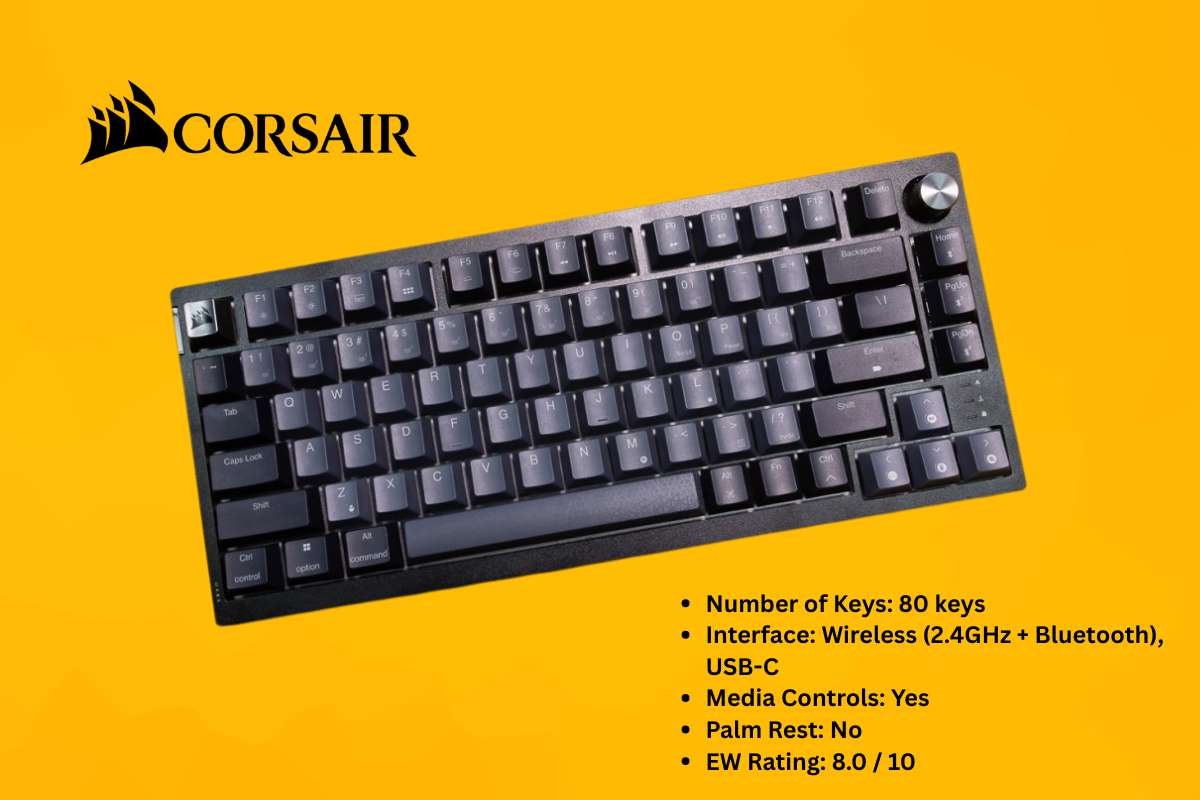
- Number of Keys: 80 keys
- Interface: Wireless (2.4GHz + Bluetooth), USB-C
- Media Controls: Yes
- Palm Rest: No
- EW Rating: 8.0 / 10
Pros
This keyboard feels quick and focused. The 75% layout trims things down even more, so everything sits closer together. Once you get used to it, your hands move less, and that can feel fast and efficient. It is a great fit if you like a tighter setup and prefer the Best Mechanical Keyboards designed for speed.
Wireless performance stands out here. The 2.4GHz mode feels fast, which helps during gaming or rapid typing. You can switch to Bluetooth when needed, which makes it easy to pair with other devices. It gives you flexibility without making things complicated.
Cons
The compact layout can feel cramped at first. Some keys sit in new spots, so your muscle memory needs time to adjust. It may take a few days before everything feels natural.
Long sessions may not feel as comfortable. There is no wrist rest, and the tighter layout can put more strain on your hands if you are not used to it. It works best if you value speed and space over pure comfort.
7. Keychron Q1 Pro
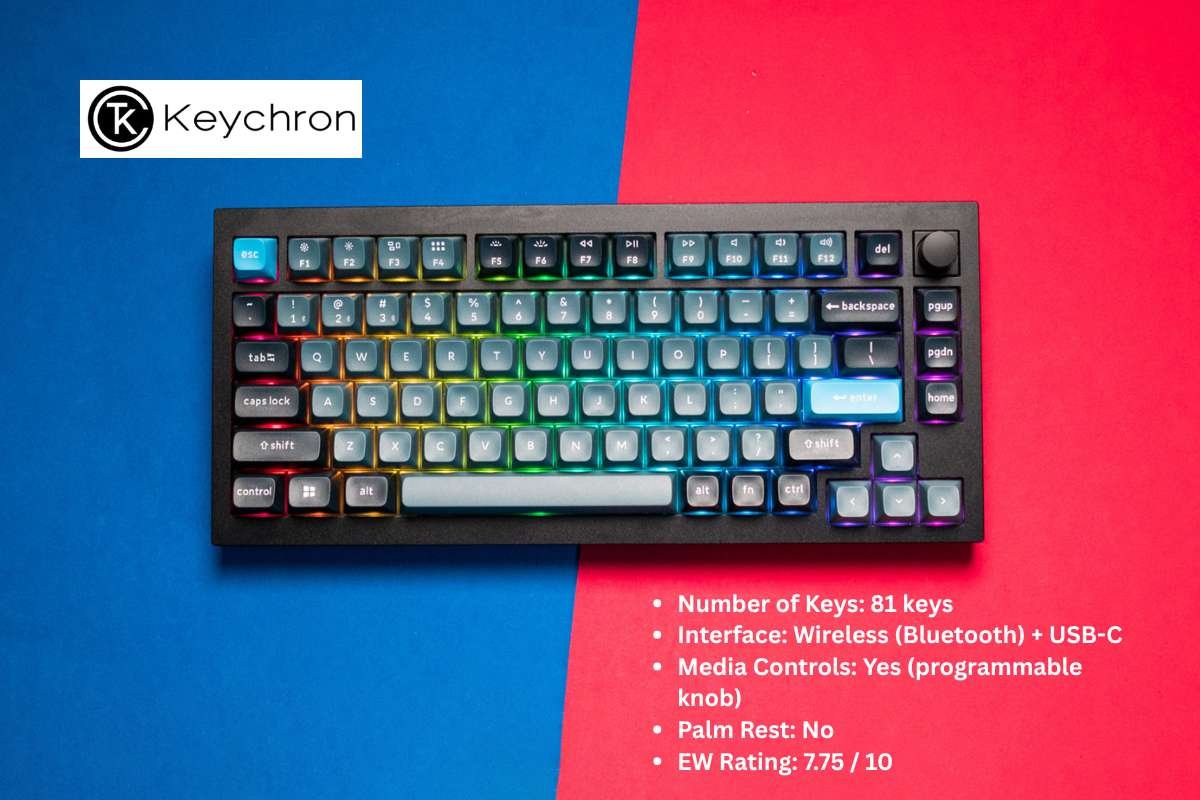
- Number of Keys: 81 keys
- Interface: Wireless (Bluetooth) + USB-C
- Media Controls: Yes (programmable knob)
- Palm Rest: No
- EW Rating: 7.75 / 10
Pros
Next on this list of the best mechanical keyboards is the Keychron Q1 Pro. This one feels like it was built for people who care about how a keyboard sounds and feels. The metal body adds weight, and you notice it the moment you place it on your desk. It stays put and gives each key press a deeper, more solid tone. The 75% layout keeps things tight, yet you still get the keys you use most.
The knob adds a nice touch to daily use. You can tweak volume or set it for other actions, and it quickly becomes second nature. Bluetooth works well for casual use, and the wired mode gives you a backup when needed. It feels like a board you can shape around your preferences over time.
Cons
Bluetooth is the only wireless option here. It works fine for general use, but it may not feel fast enough for competitive gaming. If you want that low-latency feel, you may end up using it more often.
It also asks you to adjust a bit. The compact layout takes time to get used to, especially if you are coming from a full-size board. Over longer sessions, the lack of a wrist rest can make things less comfortable than expected.
8. Keydous NJ80-AP

- Number of Keys: 80 keys
- Interface: Wireless (Bluetooth + 2.4GHz), USB-C
- Media Controls: Limited (programmable)
- Palm Rest: No
- EW Rating: 7.5 / 10
Pros
This keyboard strikes a nice balance between size and flexibility. The 75% layout keeps your desk clean while still giving you most of the keys you need. It feels compact, but not restrictive. Once you settle in, it feels easy to move around the board, making it one of the Best Mechanical Keyboards for efficient setups.
You also get more freedom with connectivity. The 2.4GHz mode feels quick, and Bluetooth adds convenience for other devices. Switching between them is simple, which helps if you use multiple systems. It fits well into setups where flexibility matters.
Cons
The media controls feel a bit limited. You can program keys, but it is not as smooth or direct as having dedicated controls or a knob. It works, but it does not feel as polished as some other options.
The overall experience can feel a step behind premium boards. It gets the basics right, but it does not stand out in feel or finish. Over time, you may notice small gaps in comfort, especially during longer typing sessions without a wrist rest.
How to Choose the Right Mechanical Keyboard?
Not every keyboard will feel right the moment you start typing. Small details like layout, key feel, and build can change your whole experience. Before you pick from the best mechanical keyboards, it helps to know what actually matters and what you can ignore. The points below break it down in a simple way, so you can choose with confidence.
1. Start with your use case: Think about what you do most. Writing, coding, or gaming all feel different on a keyboard. A full-size board suits office work, while smaller layouts save space and feel faster. Pick what fits your daily routine.
2. Choose the right layout: Decide how many keys you really need. Full size gives you everything, including the number pad. Tenkeyless and 75% layouts remove extra keys and free up desk space. Smaller boards feel cleaner but need some adjustment.
3. Focus on key feel: This is where things get personal. Some keyboards feel soft and quiet, while others feel clicky and sharp. If you type for long hours, comfort matters more than sound. Choose what feels easy on your fingers.
4. Pick your connectivity: Wireless keeps your setup clean and flexible. Wired feels simple and stable with no charging needed. If you switch between devices, look for easy pairing and quick switching options.
5. Check build quality: The best mechanical keyboards feel better over time. Heavier builds stay in place and feel more premium. Lighter ones are easier to move around. Materials also affect sound and durability.
Conclusion:
The global mechanical keyboard market size is projected to reach USD 5.68 billion by 2033, progressing at a CAGR of 11.9%.
This is largely because, once you experience a better typing feel, it is hard to ignore the difference. The sound, the feedback, and the control start to shape how you work each day. What once felt like a simple tool becomes something you actually notice and appreciate.
The best mechanical keyboards bring that change in a subtle but lasting way. They improve comfort, add precision, and make long hours at your desk feel easier to manage. With the right choice, even the simplest tasks start to feel smoother and more satisfying.
FAQs
1. What makes the best mechanical keyboards better than regular keyboards?
They use individual switches under each key, which gives better feedback, durability, and a more consistent typing experience.
2. Do mechanical keyboards make a lot of noise?
Some switches are loud, while others are designed to be quiet. It depends on the type of switch you choose.
3. How long do the best mechanical keyboards last?
They are very durable and can last for years, as the switches are built to handle millions of key presses.