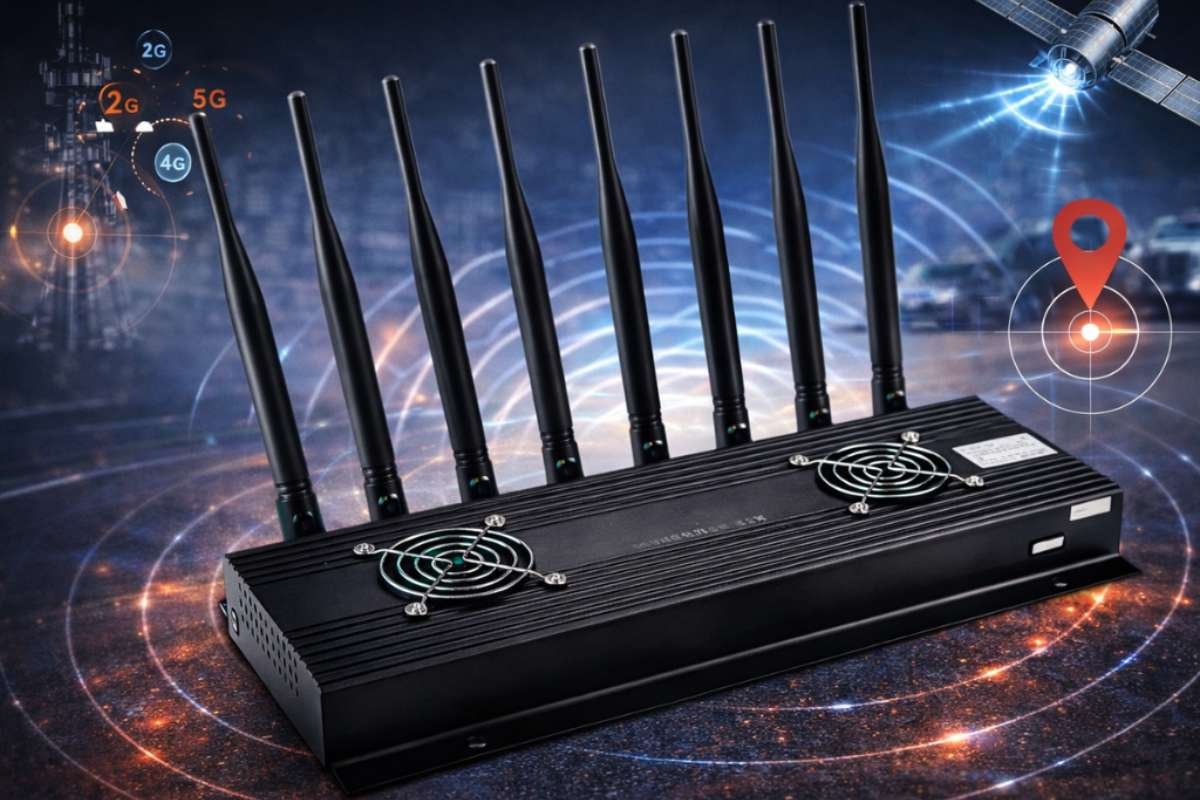
Wireless network jammers are radio-frequency devices that disrupt wireless communications by creating interference that prevents devices from communicating normally. Their effects can reach Wi-Fi, cellular, GPS, and other radio systems. This guide explains how jamming works, where it may be authorized, the risks involved, and practical ways to improve wireless resilience.
Wireless connectivity is now part of almost every business operation, from employee access and cloud applications to security systems and connected devices. That dependence creates a simple but serious risk. A network can be secure from hackers and still become unavailable because of radio-frequency interference.
Wireless network jammers are designed to cause that type of disruption. Instead of stealing data or breaking a password, it interferes with the radio signals that devices need to communicate.
The technology itself is not new, but its risks remain relevant as organizations depend on Wi-Fi, cellular networks, GPS, and other wireless systems.
What is a wireless network jammer?
A wireless network jammer is a device that intentionally transmits radio-frequency energy to interfere with wireless communications. Depending on its design and operating range, it can stop a device from connecting, staying connected, or receiving a usable signal.
Jamming is different from a normal network outage. A failed access point, damaged cable, or misconfigured router causes problems because of an equipment or configuration issue. A jammer creates an external source of interference, which can make working wireless equipment appear to fail.
Jammers can target different types of radio communications, including cellular signals, Wi-Fi, GPS/GNSS, and other radio services. The impact depends on the frequencies involved, the wireless technology, the interference source, and the distance between the source and affected equipment.
How do wireless network jammers work?
A wireless jammer works by sending out RF energy, or radio-frequency signals, that interfere with normal wireless communication. When this interference becomes strong enough, a device may not be able to receive or understand the signal it needs. A jammer does not need to hack into a network or break its encryption. Instead, it disrupts the radio signals that devices use to communicate.
Jammers can use different methods to create this interference:
- Broadband interference: The jammer sends interference across a wide range of the radio spectrum. The radio spectrum is the range of frequencies used to send wireless signals. This type of interference can affect more than one wireless service.
- Narrowband interference: The jammer focuses on a smaller range of frequencies or channels. This can disrupt wireless devices that use those specific frequencies.
- Noise-based interference: The jammer adds unwanted RF energy, often called noise, to the wireless signal. This makes it harder for the receiving device to separate the real signal from the interference.
- Reactive interference: A reactive jammer first detects activity from a wireless system. It then sends interference when it detects that activity, rather than transmitting continuously.
How is jamming different from other wireless attacks?
Not every wireless problem is caused by a jammer. A slow connection, sudden disconnection, or network outage can have several causes. Knowing the difference helps IT teams find the real problem faster.
| Issue | What Does It Mean? | Main Risk |
| RF jamming | A device sends unwanted radio signals that interfere with normal wireless communication. | Devices may lose their connection. |
| Wi-Fi deauthentication attack | An attacker sends messages that make devices disconnect from a Wi-Fi network. | Users may be forced offline. |
| Rogue access point | An unauthorized device creates a Wi-Fi network that may look like a trusted network. | Users may connect to an unsafe network. |
| RF congestion | Too many wireless signals use the same space, making communication slower or less reliable. | Network performance may drop. |
| Equipment failure | A router, access point, antenna, or other device stops working properly. | The wireless network may go offline. |
The key difference is how the problem happens. A jammer disrupts wireless communication by creating interference. Other wireless attacks may disconnect users, trick them into connecting to an unsafe network, or simply reduce network performance.
This makes a wireless network jammer an availability threat. In simple terms, it can stop people and devices from using a wireless service, even when the network itself has not been hacked.
Why are wireless network jammers a security risk?
The biggest risk is not simply slower Wi-Fi. A sufficiently disruptive RF event can affect systems that depend on wireless communication for safety, operations, or access.
1. Security risks:
Organizations may rely on wireless links for cameras, alarms, access controls, sensors, industrial equipment, and connected devices. If those links stop working, security teams may lose visibility or receive delayed alerts.
However, a jammer does not automatically disable every security system. The actual impact depends on the system’s radio technology, architecture, backup controls, and exposure to the interference.
2. Business and operational impact:
A wireless outage can interrupt point-of-sale systems, warehouse operations, mobile devices, voice communications, logistics systems, and other business processes.
For organizations with wireless-first operations, even a short disruption can create delays and force staff to switch to backup procedures.
3. Public safety risks:
Public safety is one of the strongest reasons governments restrict jammers. The FCC warns that jammers can interfere with emergency calls and communications used by police, fire, and other responders. CISA also identifies intentional jamming and other RF interference as risks to public safety communications.
The risk can extend beyond the person or organization operating the jammer. Radio interference does not always respect organizational boundaries.
4. Privacy and tracking concerns:
Jamming can interfere with cellular or positioning services, but it is important not to confuse jamming with privacy protection.
A jammer does not make information private or encrypt communications. It simply interferes with the ability of a receiver to obtain a usable signal. Organizations looking to protect confidential information should use encryption, authentication, access controls, and other security measures rather than attempting to block radio communications.
Is it legal to use wireless network jammers?
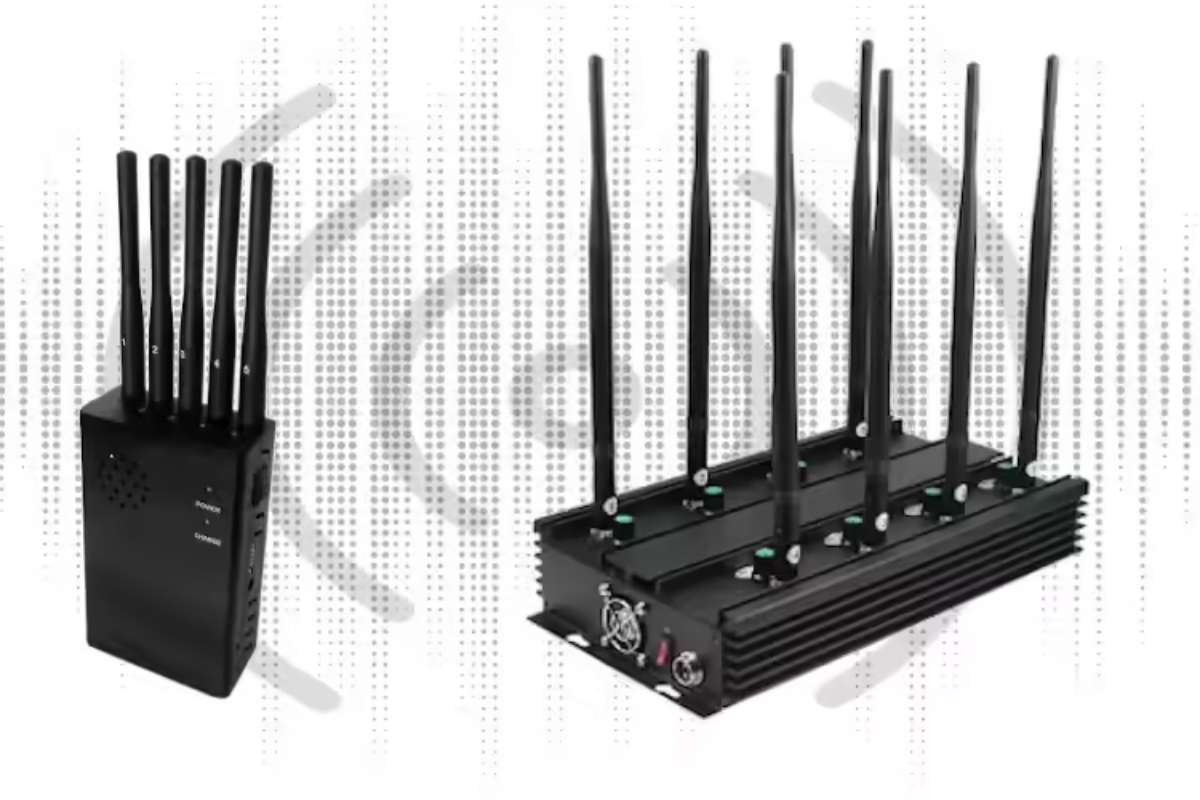
There is no single worldwide rule for wireless network jammers. Their legal status depends on the country, the radio service involved, and the authority under which the equipment is being used.
In many jurisdictions, unauthorized use is prohibited because jamming can interfere with licensed spectrum users and critical communications.
What does U.S. Law say about jammers?
In the United States, the FCC prohibits the unauthorized use, marketing, manufacture, and sale of jamming devices that interfere with authorized radio communications. The FCC specifically warns that jammers can affect cellular communications, GPS, Wi-Fi, and emergency services.
This means businesses, schools, theaters, and private individuals cannot assume that they can legally deploy a jammer simply because they want to stop phone use or create a “quiet zone.”
What are the rules in India?
India has a particularly important regulatory framework for this topic. The Department of Telecommunications has stated that cellular jammers, GPS blockers, and other signal-jamming devices are generally illegal for private individuals and private organizations unless specifically permitted by the Government of India.
It has also warned against unauthorized advertising, sale, distribution, and import of jamming devices.
The Government of India’s Jammer Guidelines, updated in December 2025, set out more specific requirements for authorized use. They cover areas such as jammers used for counter-drone operations and in jails, with prior approvals and licensing requirements. The guidelines also distinguish between different authorized government and security applications.
India’s Department of Telecommunications also excludes cellular jamming devices from the normal self-declaration route for Equipment Type Approval, further showing that these devices are treated differently from ordinary license-exempt wireless products.
What about the UK?
The UK’s Ofcom states that deliberately interfering with wireless telegraphy without authorization is illegal.
Ofcom also says it does not generally authorize or license jammer use, although specific laws can permit jamming in certain special circumstances, such as some uses by prisons or government agencies.
Never assume that buying or operating a jammer is legal because a device is advertised online. Check the rules of the relevant national spectrum authority and obtain any required authorization before using specialized RF equipment.
Where can wireless network jammers be used legally?
Jammers may be used in certain controlled settings, but their use is not automatically legal. In most countries, jamming is strictly regulated because it can interfere with other wireless networks, emergency services, and critical communications.
Authorized applications can include:
- Military and defense operations: Jamming can form part of electronic warfare and other authorized defense activities.
- Correctional facilities: Some governments permit tightly controlled jammer deployments in prisons to counter unauthorized cellular communications.
- Counter-drone operations: Certain government and security organizations may use authorized jamming as part of counter-drone systems.
- High-security operations: Some government or security applications may involve controlled RF interference under specific authorization.
- Testing and research: Specialized laboratories may conduct RF interference testing under applicable spectrum and equipment rules.
For example, India’s 2025 Jammer Guidelines specifically address jammers used for counter-rogue-drone operations and jammers deployed in jails, with government approval requirements.
How can organizations detect and reduce wireless jamming?
Organizations should focus on detection, resilience, and redundancy, rather than trying to counter interference with another unauthorized transmitter.
Signs of possible RF interference can include:
- Several wireless devices losing connectivity at the same time.
- Wireless service failing in a specific physical area.
- Multiple devices or bands showing unusual signal problems.
- Connectivity returning after moving away from a particular location.
- GPS or positioning systems showing unexpected loss of service.
- Wireless equipment reporting unusually high interference or noise levels.
CISA guidance notes that intentional jamming is only one possible source of RF interference. Faulty equipment, poor installations, environmental factors, and other RF sources can produce similar symptoms.
Practical wireless resilience checklist
For IT and security teams:
- Monitor RF conditions where practical.
- Establish a baseline for normal wireless performance.
- Record the location and timing of unexplained outages.
- Check for equipment faults before assuming malicious interference.
- Use multiple wireless channels and bands where supported.
- Maintain wired connectivity for critical systems where practical.
- Build backup communication paths for essential operations.
- Use positioning or timing backups for systems that depend heavily on GNSS.
- Segment critical devices so one wireless failure does not stop every service.
- Define an escalation and reporting process for suspected interference.
- Test business continuity procedures during wireless outages.
NIST research shows that wireless systems can respond differently to interference depending on the system, frequency, and interference pattern. This is one reason resilience planning should be based on the actual environment rather than a single “anti-jamming” solution.
Which anti-jamming technologies can improve wireless resilience?
There is no single technology that makes a wireless network completely immune to jamming. Effective protection usually combines detection, redundancy, and radio-management features.
1. Frequency and Channel Agility: Wireless systems that can move between available channels or bands may maintain connectivity when one channel experiences interference. NIST notes that Wi-Fi infrastructure can use multiple ISM frequencies and may automatically avoid congested or interfered channels.
This does not guarantee protection from a sophisticated jammer that affects multiple channels or bands.
2. Directional Antennas and Beamforming: Directional antennas can reduce exposure to interference arriving from certain directions. Beamforming can also improve how a wireless system uses its available signal path.
These technologies can help in some environments, but they are not a universal defense against RF interference.
3. Interference Detection: Monitoring tools can help security and network teams identify unusual RF conditions and distinguish potential interference from ordinary network problems.
For critical systems, early detection can support faster failover to backup communication methods.
4. Redundant Communication Paths: Redundancy is often more useful than trying to make one wireless link indestructible.
For example, a critical operation could combine Wi-Fi with wired Ethernet, cellular connectivity, private radio, or another approved communication path. The right combination depends on the system’s requirements and regulatory environment.
5. Encryption Still Matters: Encryption remains essential for wireless security, but it addresses a different problem.
Encryption protects data confidentiality and integrity; it does not prevent RF jamming. A well-encrypted wireless connection can still become unavailable if the receiver cannot detect or decode the signal.
This distinction is important when building a complete wireless security strategy.
What should you do if you suspect wireless jamming?
Do not immediately assume that a jammer is responsible for a wireless outage. RF interference can have many causes, and misdiagnosing the problem can waste time.
Start with a controlled troubleshooting process:
- Confirm the outage: Check whether multiple devices and services are affected.
- Check the location: Determine whether the problem occurs only in a specific area.
- Review equipment: Check access points, antennas, cabling, power, and configuration.
- Review RF conditions: Use approved monitoring or diagnostic tools where available.
- Compare bands: Determine whether the problem affects one band or several.
- Check for recurring patterns: Record when and where the interference occurs.
- Activate backups: Move critical operations to established alternative communication paths.
- Escalate the incident: Contact the appropriate IT, security, spectrum, or regulatory authority.
Do not attempt to fight suspected jamming by transmitting stronger interference. Apart from potentially making the problem worse, unauthorized RF transmissions may violate local laws.
What is the future of wireless network security?
Wireless security is moving beyond passwords and encryption. As organizations add more Wi-Fi devices, IoT systems, private cellular networks, connected vehicles, and location-dependent services, availability is becoming just as important as confidentiality and integrity.
Future wireless resilience will likely place greater emphasis on RF monitoring, automated interference detection, multi-band connectivity, redundant communications and alternative positioning or timing sources.
Government agencies are also continuing to treat jamming as a communications-resilience issue. CISA’s communications-resiliency resources include dedicated material covering jamming and positioning, navigation,n and timing disruptions.
The lesson for businesses is straightforward: design wireless networks so that one source of interference does not become a single point of failure.
Conclusion:
Wireless network jammers create a different kind of security threat: they target connectivity rather than data. By introducing RF interference, they can prevent wireless devices from communicating normally and may affect Wi-Fi, cellular, GPS, and other radio services.
A resilient wireless network should continue supporting essential operations even when one communication path becomes unavailable. That approach protects availability without creating new risks for nearby users or critical services.
Frequently asked questions
1. Can a wireless network jammer block Wi-Fi?
Yes. A jammer can interfere with the radio frequencies used by Wi-Fi and prevent devices from establishing or maintaining reliable connections. The actual impact depends on the type of interference, wireless equipment, frequency bands, and distance involved.
2. Can encryption stop a wireless network jammer?
No. Encryption protects information from unauthorized access, but it does not stop RF interference. If a jammer prevents the receiver from obtaining a usable signal, encrypted data cannot be exchanged normally.
3. How can I tell if Wi-Fi problems are caused by jamming?
There is no single symptom that proves jamming. Look for multiple devices failing at the same time, problems limited to a physical area, unusual RF conditions, and service that returns after moving away. Network equipment faults, congestion, and other interference sources should also be investigated.
4. Can a business use a jammer to stop employees from using phones?
Businesses should not assume that they can legally do this. In the United States, the FCC prohibits unauthorized jammer use, including devices intended to block cellular and other authorized communications. Other countries have their own rules, and India generally prohibits private organizations from procuring or using jammers without government authorization.