You’re not alone if your iPhone’s inbox seems to be overflowing with spam, AI-generated promotions, and never-ending threads. Despite juggling Slack, Teams, and messaging apps, email remains the primary communication channel for professionals, entrepreneurs, students, freelancers, and remote workers worldwide. Despite the growth of collaboration tools, studies consistently show that email remains the foundation of work and study.
Anyone who wants to regain control over their inbox, increase productivity, safeguard their privacy, and maintain organization should read this guide. With an emphasis on usability, powerful features, and security. We compared and assessed the best email apps for iPhone. So you could quickly select the best one and begin working more efficiently.
How We Evaluated the Best Email Apps for iPhone?
To pick the best email apps for iPhone, we didn’t just skim features. We put them through real-world workflows. We spent hours testing each app across everyday scenarios. Like checking personal and work accounts, managing high-volume inboxes, triaging spam, and using AI tools on the go.
Here’s how we evaluated every app:
- User Experience (UI/UX simplicity) – Clean layouts, intuitive navigation, and how easily you can perform key actions with one-hand on an iPhone.
- Performance & Speed – Responsiveness, sync reliability, and how quickly the app opens, searches, and sends messages.
- Privacy & Security – End-to-end encryption, data handling policies, tracking protection, and whether the app minimizes third-party data collection.
- AI & Smart Features – Quality of drafts, summaries, smart replies, scheduling, and automation that actually feel useful instead of gimmicky.
- Integrations – Native or smooth support for Google Workspace, Microsoft 365, calendars, contacts, and popular productivity tools.
- Global usability – Strong multi-account support, IMAP compatibility, right-to-left language handling, and features that work well for international users and remote teams.
Here is the List of the Best Email Apps for iPhone:
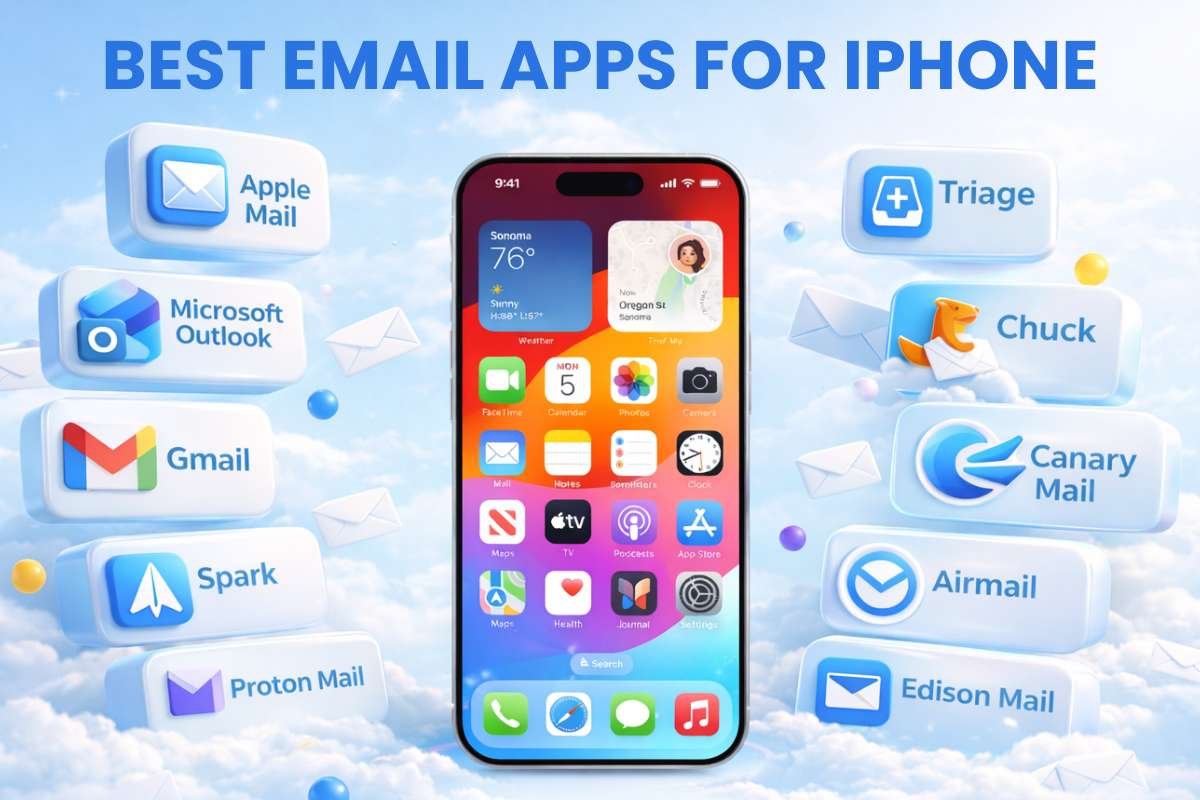
If your iPhone inbox feels chaotic but you still rely on email every day, the right app can transform how you work. Here are the best email apps for iPhone tested for speed, privacy, and real‑world productivity.
| # | Name | Best for | Pricing (Main tiers) | Key features |
| 1 | Apple Mail | Simplicity & Apple ecosystem users | Free (included with iOS) | VIP inbox, native Calendar/Notes integration, Mail Privacy Protection |
| 2 | Microsoft Outlook | Business & Microsoft 365 users | Free (basic), paid for full 365 plans | Focused Inbox, deep calendar & task integration, cross‑platform sync |
| 3 | Gmail | Google ecosystem users | Free and paid Workspace plans available | Drive/Docs/Meet integration, strong spam filters, multilingual support |
| 4 | Spark | AI‑assisted productivity & teams | Free, paid “Pro” & “Teams” plans | Smart inbox, AI replies, snooze, shared inboxes, cross‑account support |
| 5 | Proton Mail | Privacy & security‑focused users | Free, paid “Plus/Professional/Business.” | End‑to‑end encryption, no ads, no logs, secure message expiration |
| 6 | Triage | Quick inbox cleanup & light users | Free, optional premium tier | Swipe‑based triage, fast batch actions, lightweight interface |
| 7 | Chuck | Advanced inbox management & heavy users | Freemium, paid “Pro” tier | Multiple inbox views, AI “Select” cleanup, deep Gmail/Outlook/IMAP support |
| 8 | Canary Mail | Privacy‑forward power users | Free, paid premium plans | PGP encryption, AI summaries, unified inbox, Apple Watch support |
| 9 | Airmail | Power users & customization lovers | Paid subscription (no free tier) | Highly customizable workflows, rules, AppleScript, and cross‑platform support |
| 10 | Edison Mail | Smart organization & mixed‑account users | Freemium, paid “Pro” tier | AI categorization, unsubscribe tools, receipt tracking, clean UI |
1. Apple Mail – Best for Simplicity & Privacy
Key features
- VIP inbox and automatic threading
- Native integration with Calendar, Reminders, and Notes
- Mail Privacy Protection and S/MIME encryption support
Pros
- Completely free with iOS
- Zero setup friction for Apple users
- Strong privacy and minimal tracking
Cons
- Fewer advanced AI and automation tools
- Limited customization compared to third-party apps
Best for: Apple-only users, beginners, and those who value simplicity and privacy.
Apple Mail is the default email app that comes free with every iPhone, iPad, and Mac, making it one of the most straightforward choices in the Best Email Apps for iPhone lineup. It opens fast, works without extra setup, and blends smoothly with Calendar, Reminders, Notes, and iCloud. You get a simple inbox, VIP messages, and basic folders, plus strong privacy features like Mail Privacy Protection that hide your activity from trackers. It’s ideal if you want an email app that “just works” and doesn’t clutter your screen with extra tools or pop‑ups.
2. Microsoft Outlook – Best for Productivity & Business Users
Key features
- Focused Inbox that surfaces important messages
- Deep calendar, contact, and task integration
- Cross-platform sync (iOS, Android, Windows, Mac)
Pros
- Excellent for Microsoft 365 and Exchange users
- Strong search, filters, and swipe actions
- Great for meeting-heavy schedules
Cons
- Steeper learning curve for casual users
- Can feel “heavy” compared to lighter apps
Best for: Professionals, teams, and business users on Microsoft 365.
Microsoft Outlook is built for people who live in Microsoft 365 or Outlook.com, especially professionals, managers, and teams. It brings your email, calendar, contacts, and tasks into one place, so you can see meetings, deadlines, and messages all at once. The Focused Inbox pushes important emails to the top, while less important ones stay quietly out of the way. Outlook also works across iPhone, Android, Windows, and Mac, so your inbox stays in sync no matter which device you use. It’s excellent if you reply to lots of work emails, manage shared calendars, or live inside Outlook on desktop.
3. Gmail – Best for Google Ecosystem Users
Key features
- Deep integration with Google Drive, Docs, Sheets, and Meet
- Smart filters, spam protection, and labels
- Global-friendly with multilingual support
Pros
- Works seamlessly with Gmail, Workspace, and Google AI tools
- Excellent for students, freelancers, and remote workers
- Strong spam and phishing filters
Cons
- Less privacy-focused than some competitors
- Ads can still appear in the free tier
Best for: Google-centric users, global teams, and students.
Gmail is a natural fit for anyone already using Google Workspace, Gmail, Drive, Docs, Sheets, or Meet. It connects tightly with your Google files so you can quickly attach Docs, open spreadsheets, or join Meet calls without leaving the app. The interface is clean, search is fast, and spam filters are very good at blocking unwanted messages. Gmail also supports multiple accounts and works well for students, freelancers, and remote workers around the world. As one of the Best Email Apps for iPhone, it’s a top pick if your daily workflow orbits around Google tools rather than Microsoft or Apple’s own services.
4. Spark – Best AI Email Assistant
Key features
- AI-powered inbox sorting and smart replies
- Automated follow-ups, reminders, and snooze
- Team collaboration features (shared inboxes, shared notes)
Pros
- Very intuitive UI tailored for iPhone
- Strong productivity and automation
- Works well with Gmail, Outlook, iCloud, and others
Cons
- Advanced features require a paid plan
- Less privacy-forward than some encrypted apps
Best for: busy professionals, founders, and teams who want AI-assisted email.
Spark is designed for busy people who want smart help managing their inbox instead of doing everything manually. It automatically sorts your emails into categories like personal, notifications, and newsletters, and it can suggest smart replies or short summaries. You can snooze messages, set reminders, or schedule emails to send later, which helps prevent inbox overload. Spark also supports team features like shared inboxes and notes, making it useful for small businesses or freelancers who collaborate. The free version is very capable, while paid plans unlock more advanced AI tools and automation.
5. Proton Mail – Best for Privacy & Security
Key features
- End-to-end encryption and password-protected emails
- No ads and a strict no-logs policy
- IMAP support and secure web access
Pros
- Best-in-class privacy and encryption
- Clean, ad-free interface
- Works well for sensitive communications
Cons
- Free tier has storage and feature limits
- Less seamless with non-Proton accounts
Best for: journalists, freelancers handling sensitive data, and privacy-first users.
When discussing the Best Email Apps for iPhone, Proton Mail stands out for its strong focus on privacy and security. It uses end-to-end encryption, meaning only you and the recipient can read your messages—not even Proton itself. The app doesn’t display ads in its free plan and follows a strict no-logs policy, minimizing user tracking. This makes it especially suitable for journalists, activists, or anyone dealing with sensitive data. However, advanced features and additional storage require a paid plan, and full encryption works best when both parties use Proton Mail or compatible services.
6. Triage – Best for Quick Inbox Cleanup
Key features
- Swipe-based email management (archive, delete, snooze, etc.)
- Smart filters and “quick filters” for batch operations
- Lightweight, fast, and focused on inbox zero
Pros
- Extremely fast for mass-email cleanup
- Minimal interface, low cognitive load
- Great for periodic inbox resets
Cons
- Fewer long-term organizational or AI features
- Less suited to heavy daily-reading workflows
Best for: users who want fast, lightweight inbox-cleanup sessions.
Triage is built for fast, swipe‑based inbox cleanup, not deep, long‑term organization. With Triage, you can quickly swipe through dozens or hundreds of emails, archiving, deleting, or snoozing them with simple gestures. It’s perfect for “inbox reset” sessions after a vacation, conference, or busy work week. The app stays light and focused, so it doesn’t add extra menus or complexity. It suits people who don’t want to live inside their email all day but still want a clean, manageable inbox when they do check it.
7. Chuck – Best for Advanced Inbox Management
Key features
- Multiple inbox views and custom filters
- AI-driven “Select” feature to mass-clean emails
- Deep integration with Gmail, Outlook, iCloud, and IMAP
Pros
- Extremely flexible for complex workflows
- Strong automation and batch-action tools
- Great for long-term inbox hygiene
Cons
- Higher learning curve
- Premium pricing for advanced tiers
Best for: founders, executives, and anyone drowning in email volume.
Chuck is a powerful tool for users who receive a large volume of emails and want fine‑grained control over how they’re handled. It lets you create multiple inbox views, set up custom filters, and use AI‑driven tools like “Select” to automatically clean and organize old messages. Chuck supports Gmail, Outlook, iCloud, and other IMAP accounts, so you can manage everything from one place. It’s especially useful for founders, executives, and heavy email users who need to maintain a tidier long‑term inbox without manually sorting every message. Among the Best Email Apps for iPhone, Chuck stands out for those who treat email as a serious workflow, not just a notification stream.
8. Canary Mail – Best Privacy-Forward Power App
Key features
- End-to-end encryption with PGP integration
- AI-powered summaries and smart inbox options
- Unified inbox for Gmail, Outlook, iCloud, and IMAP
Pros
- Strong security and clean iPhone-native UX
- Cross-device sync and Apple Watch support
- Balanced mix of privacy and productivity
Cons
- Free tier has limitations
- Smaller ecosystem than Gmail or Outlook
Best for: security-minded professionals and power users.
Canary Mail mixes strong encryption with modern productivity features in a clean iPhone‑friendly interface. It supports end‑to‑end encryption and PGP, which secures your messages so only the intended recipient can read them. At the same time, it offers AI‑assisted summaries, smart inbox views, and a unified inbox for Gmail, Outlook, iCloud, and IMAP accounts. Canary Mail also syncs across devices and supports Apple Watch, so you can manage emails quickly on the go. It’s a strong choice if you want a balance between privacy and convenience, without sacrificing speed or usability.
9. Airmail – Best for Power Users & Customization
Airmail is a highly customizable email client built for people who want fine-grained control over every aspect of their inbox.
Key features
- Deep customization (themes, swipe actions, rules)
- Strong integration with dozens of productivity apps
- Local data-processing options for privacy
Pros
- Extremely flexible for advanced workflows
- Great for automation and scripting (AppleScript)
- Cross-platform support
Cons
- Paid subscription model
- Can feel overwhelming for casual users
Best for: power users, developers, and hyper-organized professionals.
Among the Best Email Apps for iPhone, Airmail is designed for users who love deep customization. You can tailor swipe actions, themes, rules, and even connect it with automation tools like AppleScript. It supports a wide range of email providers and integrates smoothly with productivity apps, making it ideal for advanced workflows. The downside is that it’s a paid app with no free tier, and its flexibility can feel overwhelming for beginners. It’s best suited for developers, creators, and power users who want full control over their inbox.
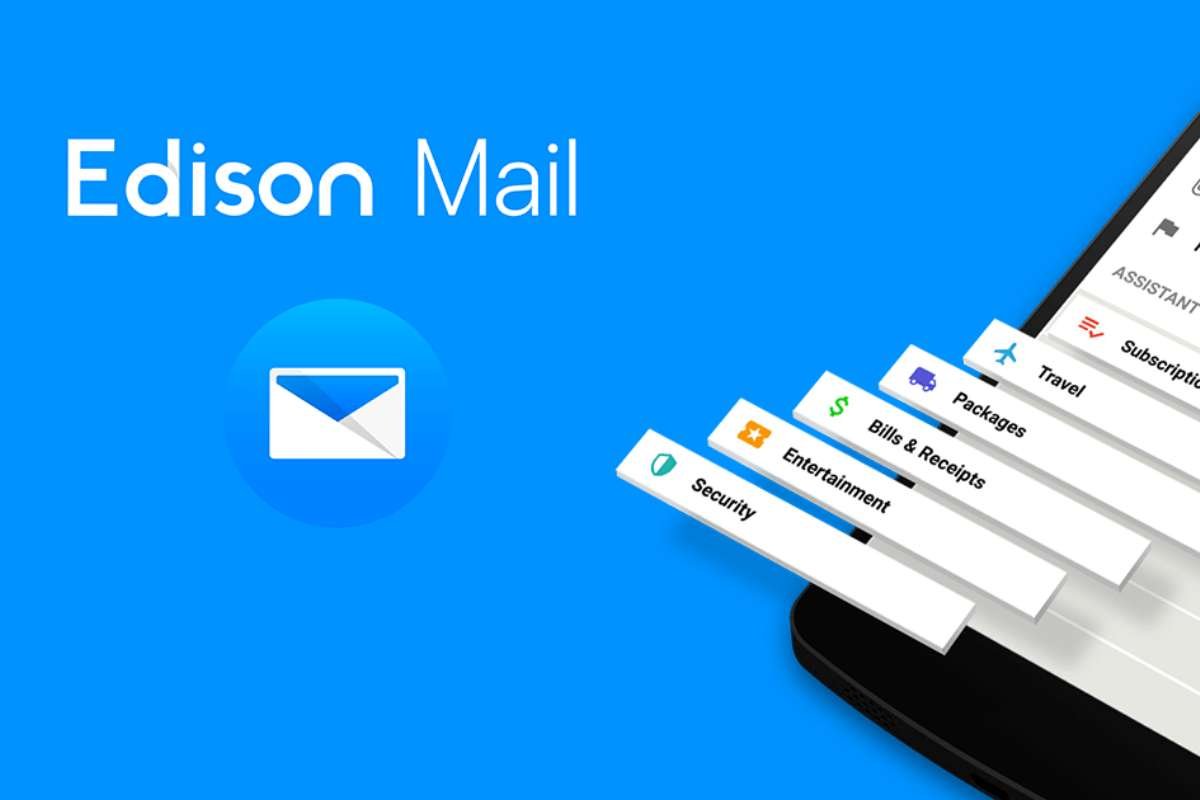
10. Edison Mail – Best for Smart Organization
Key features
- Smart categorization and AI-powered summaries
- Unsubscribe from tools and transaction tracking
- Clean, minimal interface
Pros
- Excellent at separating newsletters, receipts, and promos
- Lightweight on the iPhone
- Great for mixed-account setups
Cons
- Limited advanced security features
- Some AI tools are paywalled
Best for: users who want better organization without switching providers.
Edison Mail quietly organizes your inbox so you spend less time sorting and more time focusing. It automatically groups newsletters, receipts, and promotional emails, and it gives you tools to unsubscribe from unwanted lists with one tap. The app also highlights travel confirmations, bills, and other important transactions, making them easy to find later. Edison Mail has a clean, minimal interface and works smoothly with multiple email accounts. As one of the Best Email Apps for iPhone, it’s especially useful for users who mix personal and work emails but still want a tidy, label‑free inbox that feels calm and easy to manage.
What Makes a Great Email App? (Pros, Cons & Key Features)
Pros – What Top Apps Do Well
Across the best email apps for iPhone, strong performers share a few key strengths:
- Better organization – Smart inbox views, filters, and categories help separate newsletters, receipts, and social noise from important messages.
- AI-powered tools – Smart replies, summaries, auto-snooze, and follow-up reminders reduce typing and speed up inbox cleanup.
- Cross-platform sync – Reliable sync across iPhone, iPad, Mac, and web keeps your inbox consistent no matter where you check it.
- Customization – Swipe actions, themes, and rules let power users shape the app to their workflow instead of fighting the default layout.
Cons – Realistic Drawbacks That Build Trust
Every top app has trade-offs:
- Privacy and tracking – Some scan emails to power AI or show ads, which can feel invasive for sensitive content.
- Subscription pricing – Core features and AI tools are often locked behind paid plans, leaving free tiers limited.
- Learning curve – Advanced apps can overwhelm beginners with too many options and complex settings.
Real-World Insights (Reddit & User Feedback)
Reddit and user threads often mention: ads and aggressive upsells, syncing issues after updates, and UIs that feel clunky or overloaded. Calling these out builds trust by acknowledging real-world friction, not just marketing claims.
How to Choose the Best Email App for iPhone?
Choosing from the Best Email Apps for iPhone becomes easier when you match the app to your workflow:
1. Professionals (corporate, Microsoft 365, teams) → Microsoft Outlook
Pick Outlook if you live in calendars, meetings, and Microsoft 365. It bundles email, tasks, and scheduling in one place and syncs reliably across iPhone, Mac, and PC.
2. Freelancers & solopreneurs → Spark
Choose Spark if you run multiple accounts, need smart replies, snooze, and follow-ups, and want a clean, AI-assisted inbox without heavy setup.
3. Privacy-focused users (journalists, sensitive data, security-minded) → Proton Mail
Go with Proton Mail if end-to-end encryption, no ads, and minimal tracking matter more than flashy features. It’s built for confidential communication, not mass marketing.
4. Casual users & beginners → Apple Mail
Stick with Apple Mail if you want a free, simple, built-in app that works instantly with iCloud, Google, and other accounts, with no extra learning curve.
5. Google-centric users (Docs, Drive, Meet, Workspace) → Gmail
Pick Gmail if your life runs on Google. Like Drive, Docs, Sheets, Meet, and Workspace. It keeps everything under one ecosystem and syncs smoothly across iPhone and web.
Use this persona-based framework to quickly narrow your choice. Then test 1–2 apps from your category to see which fits your actual habits on the iPhone.
Emerging Trends in Email Apps:
Email apps on iPhone are evolving beyond basic inbox tools into smart, privacy‑aware hubs for work and personal communication. These trends are shaping the best email apps for iPhone in 2026:
- AI email assistants – Summarization, smart reply suggestions, and quick-draft tools are now common. Many apps analyze your writing style and relationship context to generate replies, reducing time spent typing and triaging messages.
- Inbox automation – Apps increasingly offer rules, auto-sorting, snooze, and follow-up reminders that run in the background. Instead of manually filing emails, users can set up workflows that archive, tag, or forward messages automatically.
- Privacy-first platforms – With growing scrutiny on data tracking, several email clients now emphasize end-to-end encryption, no-ad models, and clear privacy policies. Users are shifting from “feature-first” to “privacy-first” choices when handling sensitive or personal mail.
- Unified communication tools – Some top email apps are blending inbox features with chat, tasks, and calendar views into a single unified workspace, blurring the line between emails and messaging apps.
Conclusion:
The correct email app can really help if your iPhone’s inbox seems like an endless to-do list. Today’s best email apps for iPhone do more than just forward messages. They also help you respond more quickly, think less, and stay safe. Every option, from Apple Mail’s ease of use to Spark’s AI intelligence and Proton Mail’s robust encryption, addresses a distinct need, such as privacy, speed, integration, or complete inbox control.
The most important thing is to match your app with your actual workflow: professionals prefer Outlook. Google-centric users prefer Gmail. Freelancers and founders prefer Spark or Chuck. Privacy-conscious users prefer Proton Mail or Canary Mail. Automation and AI features become commonplace in the top iPhone email apps. They are picking one that works for your schedule. Rather than just the eye-catching features. This is what really pays off.
FAQ:
1. What is the best free email app for iPhone?
When evaluating the Best Email Apps for iPhone, top free options include Gmail, Microsoft Outlook, and Apple Mail. Gmail is highly versatile, Outlook excels in productivity, and Apple Mail offers a clean, ad-free experience.
2. Which email app is best for business or professional use?
For business users, Microsoft Outlook is often the top choice. It combines email, calendar, contacts, and task management in one platform, making it ideal for professionals managing multiple workflows. Outlook also integrates seamlessly with Microsoft 365, which is widely used by organizations globally. For teams relying on Google Workspace, Gmail is another strong alternative.
3. Do email apps for iPhone support multiple accounts?
Yes, most modern email apps for iPhone. Including Spark Mail, Gmail, and Microsoft Outlook. They support multiple accounts. You can easily manage personal, work, and other email accounts in one place, often with unified inbox features. This makes it convenient for users who need to switch between different email identities without logging in and out.