
Business communication systems shape how information moves across teams, tools, and workflows. This article dives into their key features, types, and impact on productivity, while also uncovering the hidden gaps that lead to delays, repeated work, and misalignment even when systems appear to be working.
You notice it in small moments, not in big failures. A quick “did you see this?” turns into three different replies across three platforms. Someone acts on an old update while another is already working with a newer version. Nothing feels dramatically wrong, yet everything feels slightly out of sync.
That quiet friction is what shapes how work actually moves inside a company. Not the plans on paper, but the gaps between conversations, tools, and timing.
Business communication systems exist to close those gaps. They contain many methods, tools, and technologies that help big businesses and organizations to communicate effectively. They dictate how information travels so it does not lose context halfway, and so decisions do not keep restarting every time someone asks for clarity again.
In this article we will see everything that encompasses these systems, from the different types of systems to how they improve communication as well as emerging trends. But first, let us start by understanding the core components and key features that must be present in the.
What are the key features that business communication systems should have?
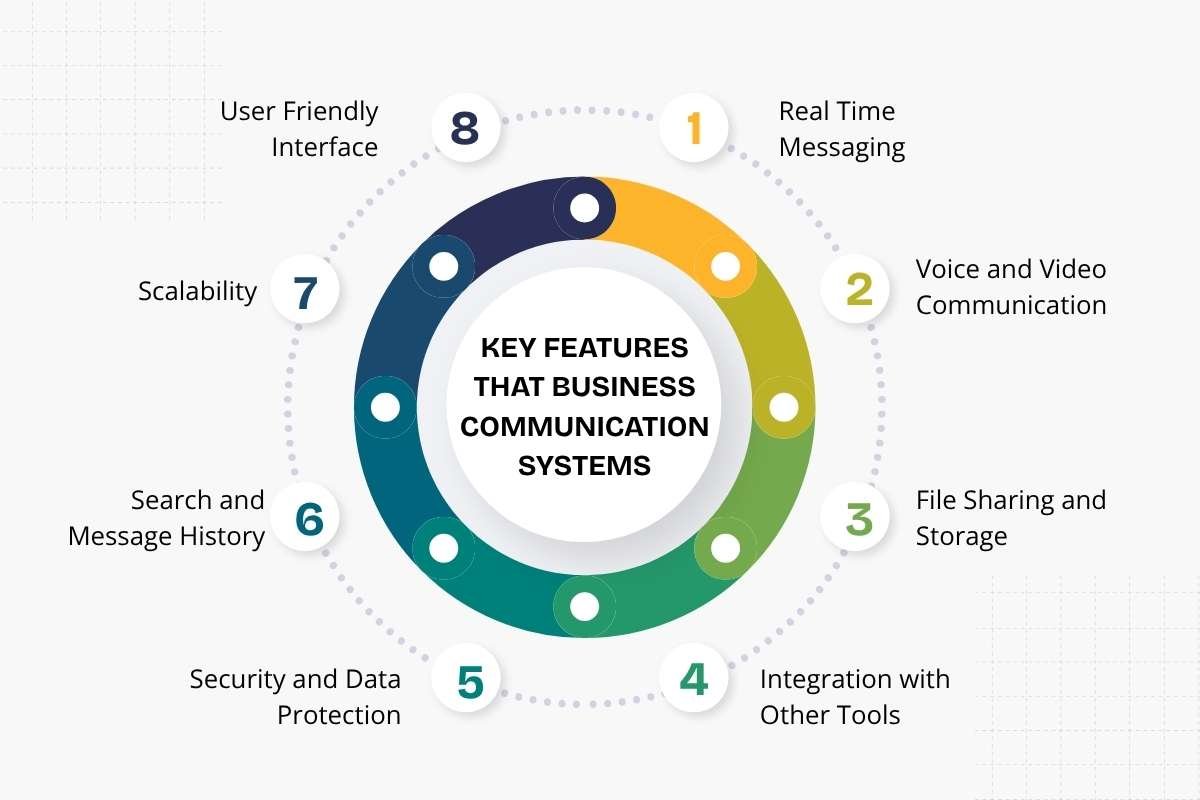
A system is only as good as what it offers. Features decide how well teams can use it. The right set of features keeps communication smooth and clear.
1. Real time messaging:
Teams need fast communication. Real time messaging allows quick updates and instant replies. It reduces waiting time and helps teams act faster. It also keeps conversations active and easy to follow.
2. Voice and video communication:
Text alone is not always enough. Voice calls and video meetings help teams explain ideas better. They also support remote work and team discussions. Clear audio and stable video make a big difference here.
3. File sharing and storage:
Teams share files every day. A good system allows easy file upload, access, and storage. It keeps documents in one place and avoids long email chains. This also helps teams find files without wasting time.
4. Integration with other tools:
Businesses use many tools at once. A strong system connects with project tools, CRMs, and calendars. This keeps all work linked in one flow. It reduces the need to switch between platforms again and again.
5. Security and data protection:
Communication often includes sensitive data. Business communication systems must protect this data from leaks or misuse. Features like encryption and access control help keep information safe. This builds trust within the team and with clients.
6. Search and message history:
Messages add up quickly. A search feature helps users find past conversations with ease. It saves time and avoids repeated questions. Message history also keeps a clear record of decisions.
7. Scalability:
A business grows over time. The communication system should grow with it. It should handle more users, more data, and more activity without slowing down. This avoids the need to switch systems later.
8. User friendly interface:
Teams should not struggle to use the system. A simple and clear interface helps users learn quickly. It reduces errors and improves adoption across the team. When a system feels easy, people use it more often.
These features dictate how effective communication system can be. A system with the right features supports daily work without friction. It helps teams stay focused and aligned.
Now that you know what business communication systems must contain, let us take look ate the different types of systems out there.
What are the different types of business communication systems?

Businesses use different systems to handle communication. Each type serves a specific need. Some focus on speed. Others focus on structure and record-keeping.
1. Internal communication systems:
These systems handle communication within the company. Teams use them to share updates, assign tasks, and discuss work. Tools like messaging apps and internal portals fall into this group. They help teams stay connected without long delays.
2. External communication systems:
These systems manage communication with clients, vendors, and partners. Emails, customer support platforms, and CRM tools are common here. They help businesses maintain clear and professional interactions outside the company.
3. Unified communication systems:
This type combines multiple communication tools into one platform. Messaging, voice calls, video meetings, and file sharing work together. Teams do not need to switch between apps. This saves time and keeps conversations in one place.
4. Cloud based communication systems:
These systems run on cloud platforms. Teams can access them from any location. This works well for remote and hybrid teams. It also reduces the need for heavy hardware setup. They also support easy scaling as the business grows, without major system changes.
5. VoIP systems:
Voice over Internet Protocol systems allow calls over the internet. They replace traditional phone lines. These systems reduce cost and offer added features like call recording and routing. They also improve flexibility, as users can take calls from multiple devices.
6. Collaboration platforms:
These systems focus on teamwork. They include shared workspaces, project boards, and document collaboration tools. Teams can work together in real time without sending files back and forth. They also keep all work related discussions linked to tasks, which reduces confusion.
Each type supports a different part of business communication. Many companies use a mix of these systems. The right combination depends on team size, work style, and business goals.
How do business communication systems improve productivity?
Work moves faster when communication is clear. Teams do not waste time waiting for updates or searching for information. A structured system keeps messages in one place and makes them easy to access. This reduces confusion and helps teams focus on actual work instead of chasing answers.
These systems also reduce repeated tasks. When messages, files, and updates stay organized, teams avoid doing the same work twice. Decisions happen faster because everyone has the same information at the same time.
Business communication systems also support better teamwork. Teams can collaborate in real time, share feedback quickly, and stay aligned on goals. This keeps projects moving without delays. When communication flows well, teams work with more clarity and less stress.
What are the common challenges in implementing business communication systems?

1. Resistance to Change Teams often stick to familiar tools. A new system can feel confusing at first. Without proper training, users may avoid it. This slows adoption and reduces effectiveness.
2. Tool Overload Businesses sometimes use too many platforms. Messages get scattered across different tools. This makes tracking conversations harder. Instead of clarity, teams face more confusion.
3. Integration Issues Not all tools work well together. Poor integration breaks the flow of communication. Teams may need to switch between systems often. This wastes time and interrupts work.
4. Cost and Setup Effort Some systems need strong technical support. Setup can take time and budget. Smaller teams may find this difficult. Ongoing maintenance also adds to the effort.
5. Lack of Clear Guidelines A system alone is not enough. Teams need rules on how to use it. Without guidelines, communication becomes messy again. This defeats the purpose of the system.
Business communication systems are becoming smarter and more connected. 69% of companies have implemented new communication tools this year, which shows how fast businesses are upgrading the way teams interact
Future trends in business communication systems
AI now helps teams manage messages, suggest replies, and summarize long conversations. This reduces manual effort and saves time. At the same time, businesses are moving toward unified platforms where calls, messages, video, and files stay in one place, which keeps communication simple and easy to manage.
Work patterns are also influencing these systems. Many teams now work in remote or hybrid setups, so communication tools support async messaging and flexible collaboration. Teams can share updates and respond without needing to be online at the same time. Mobile use is also rising, so systems now focus on smooth performance across devices, allowing teams to stay connected from any location.
Security and integration are becoming stronger with each update. Businesses want systems that protect data through encryption and controlled access. At the same time, communication tools now connect easily with project and workflow platforms. This keeps tasks, updates, and conversations linked, so teams can work without switching between multiple tools.
Conclusion:
By the time communication starts getting questioned, the damage is usually already visible in delays, rework, and missed timing. What looks like a people problem is often just a system problem that has gone unnoticed for too long.
Business communication systems change that at the root. They do not force more interaction, they make each interaction count. When information carries its full context the first time, work stops circling back on itself. That is when teams stop managing conversations and start moving with clarity.
People Also Ask
1. How do these systems affect day to day work?
They reduce the need to double check, repeat, or chase information, so tasks move forward without constant interruptions.
2. Can the wrong system slow a business down?
Yes, if tools are disconnected or poorly structured, they create more friction than they remove.
3. What should businesses focus on when improving communication?
Clarity of flow, consistency across tools, and making sure information reaches the right people without extra effort.